Deploy an image on OpenIaaS
This tutorial guides you through deploying a virtual machine image from the Cloud Temple Marketplace to your OpenIaaS environment.
Prerequisites
- Have a configured OpenIaaS environment
- Have permissions to create virtual machines
- The image must have OpenIaaS in its compatible targets
Deployment Steps
1. Selection and deployment
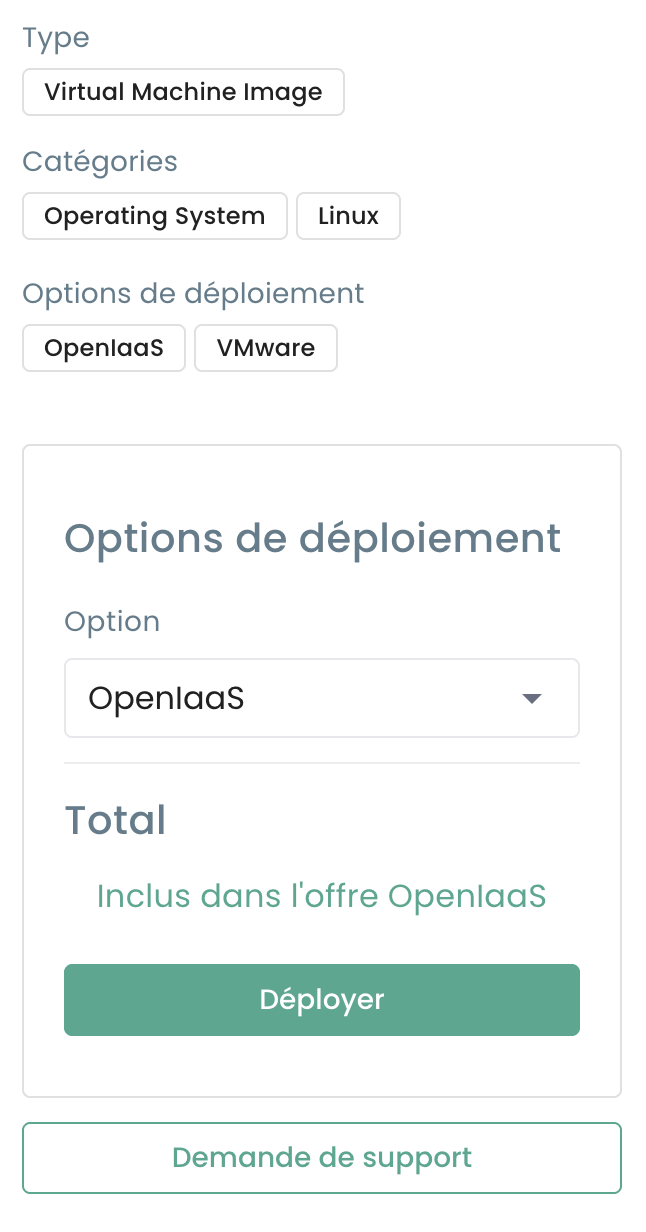
From the details page of an OpenIaaS-compatible solution, select your target environment and click Deploy :
2. Virtual Machine Configuration
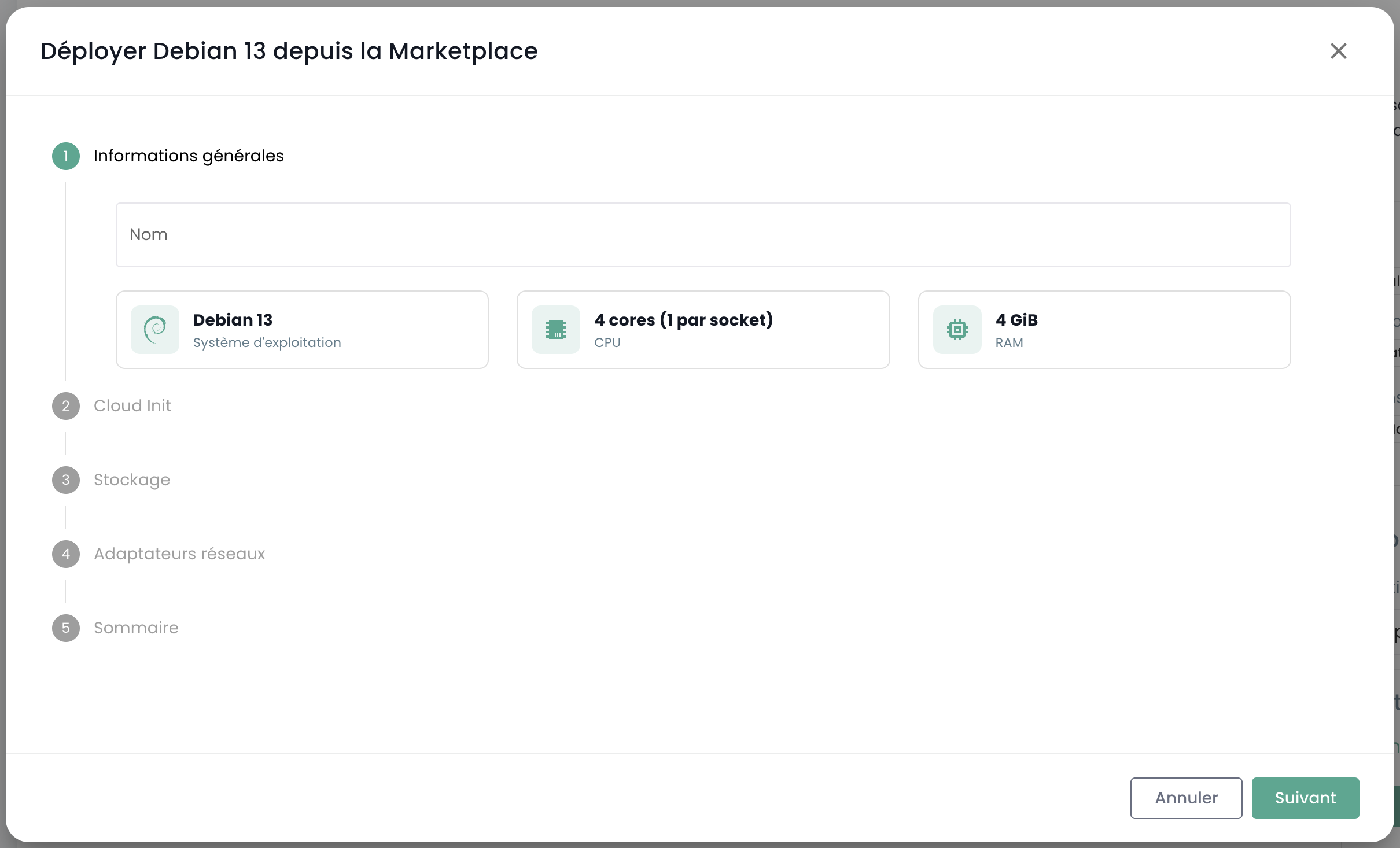
Configure the basic settings of your virtual machine:
- Name of the VM
- Resources (CPU, RAM)
- Storage
- Network
Deployment typically takes less than 10 minutes depending on the image size.
Alternative Access
You can also access Marketplace images directly from the Virtual Machines page of your OpenIaaS environment:
- Go to Virtual Machines > Create a VM
- Select Marketplace Images in the source options
- Choose your solution from the built-in catalog
Deployment Tracking
Once the deployment is launched:
- Track progress from the OpenIaaS console
- The VM will appear in your virtual machines list