Contact a Partner
This tutorial guides you through contacting a publisher partner via the Cloud Temple Marketplace.
Usage Context
Use this feature when:
- The solution requires connecting with the partner
- You need additional information
- The solution is not directly deployable (no VM Image)
Contact Steps
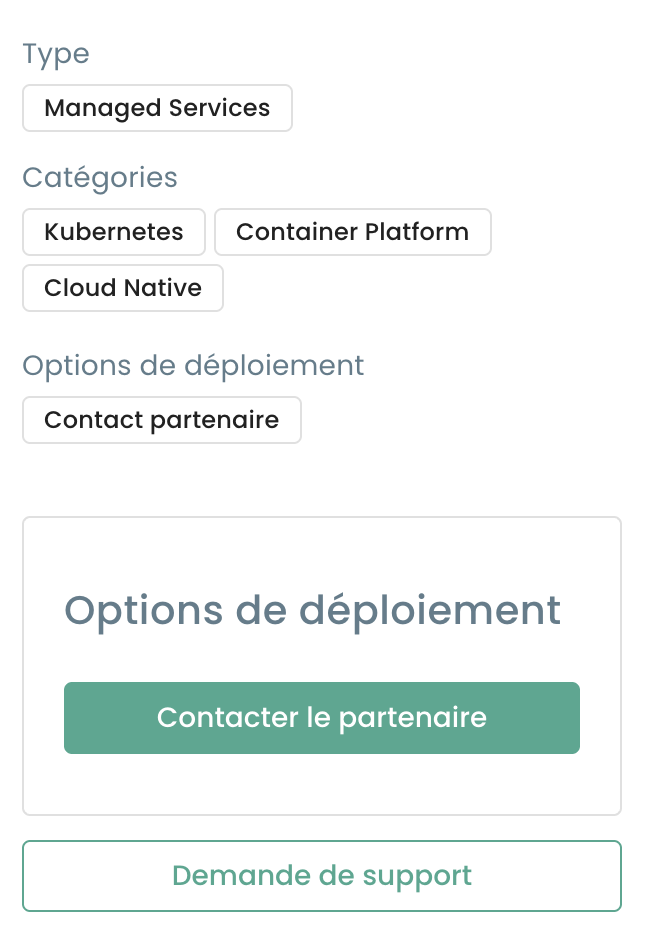
1. Form Access
From the partner solution details page, click Contact the partner :
2. Sending the request
Validate and send your contact request:
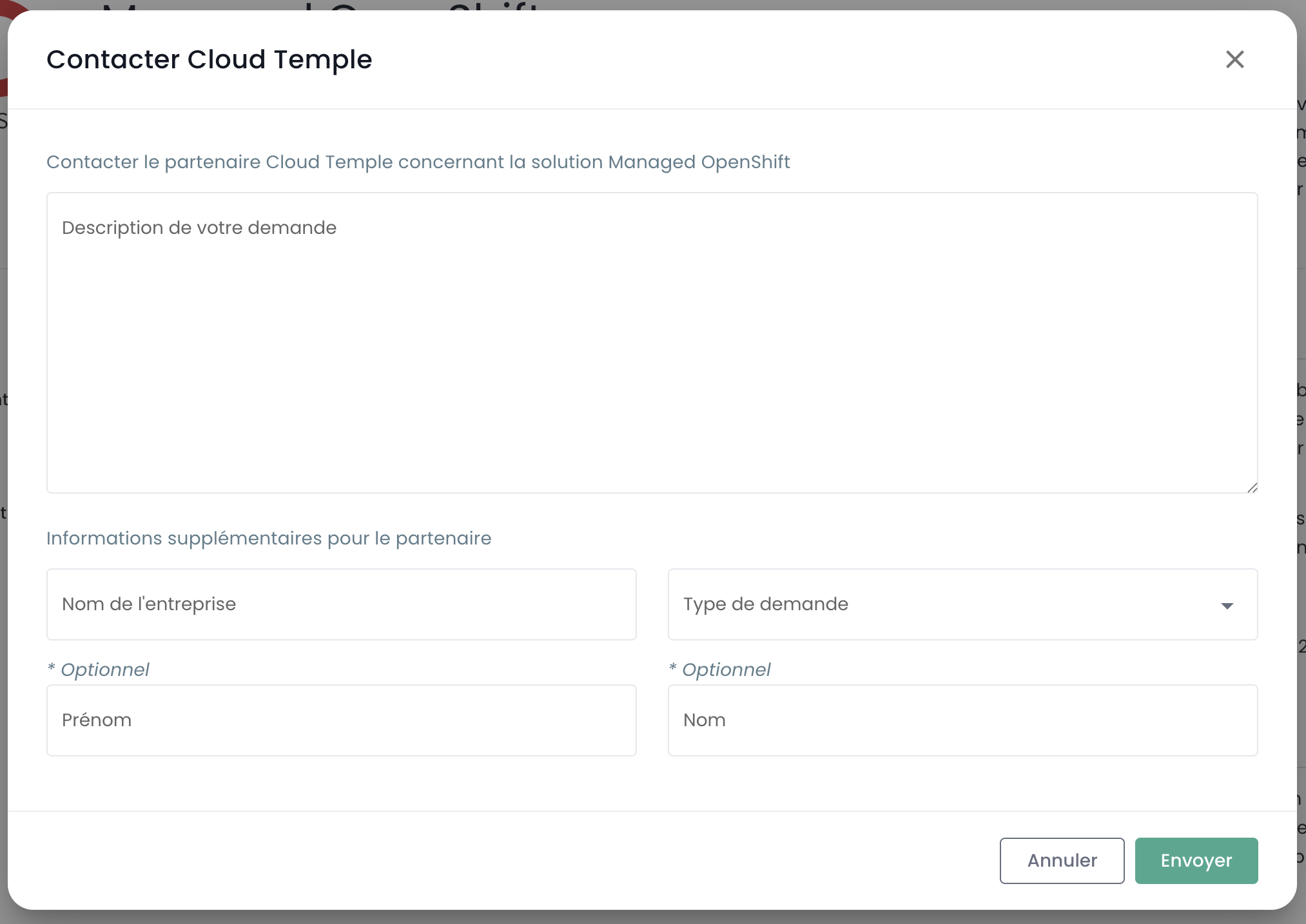
You will receive an email confirmation upon submission of your request.
3. Matching
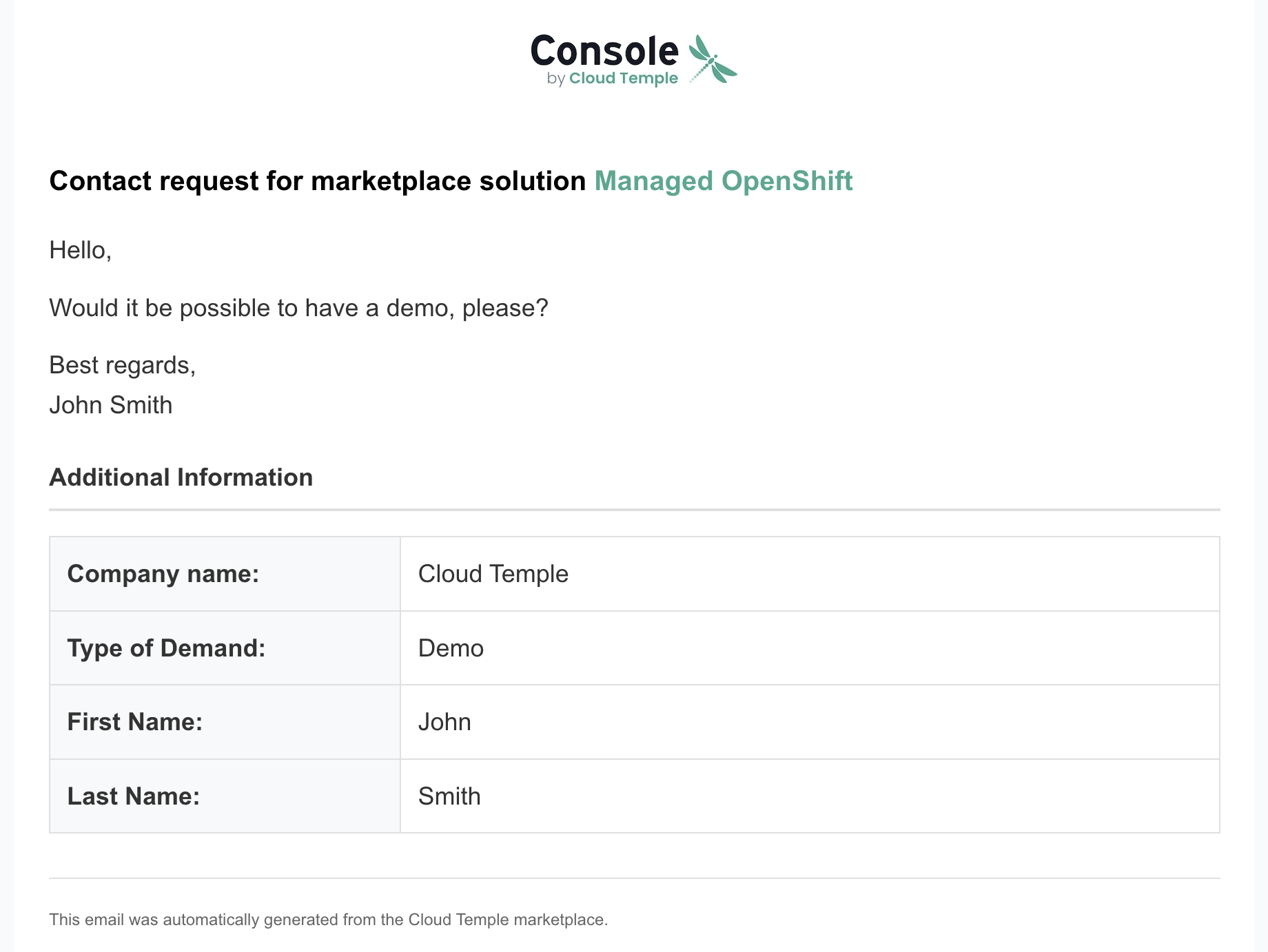
The partner will automatically receive an email with your information:
Example email sent to the partner:
Best practices
- Be precise in describing your requirements
- Specify the intended use context
- Mention your technical or regulatory constraints