Frequently Asked Questions about Backup
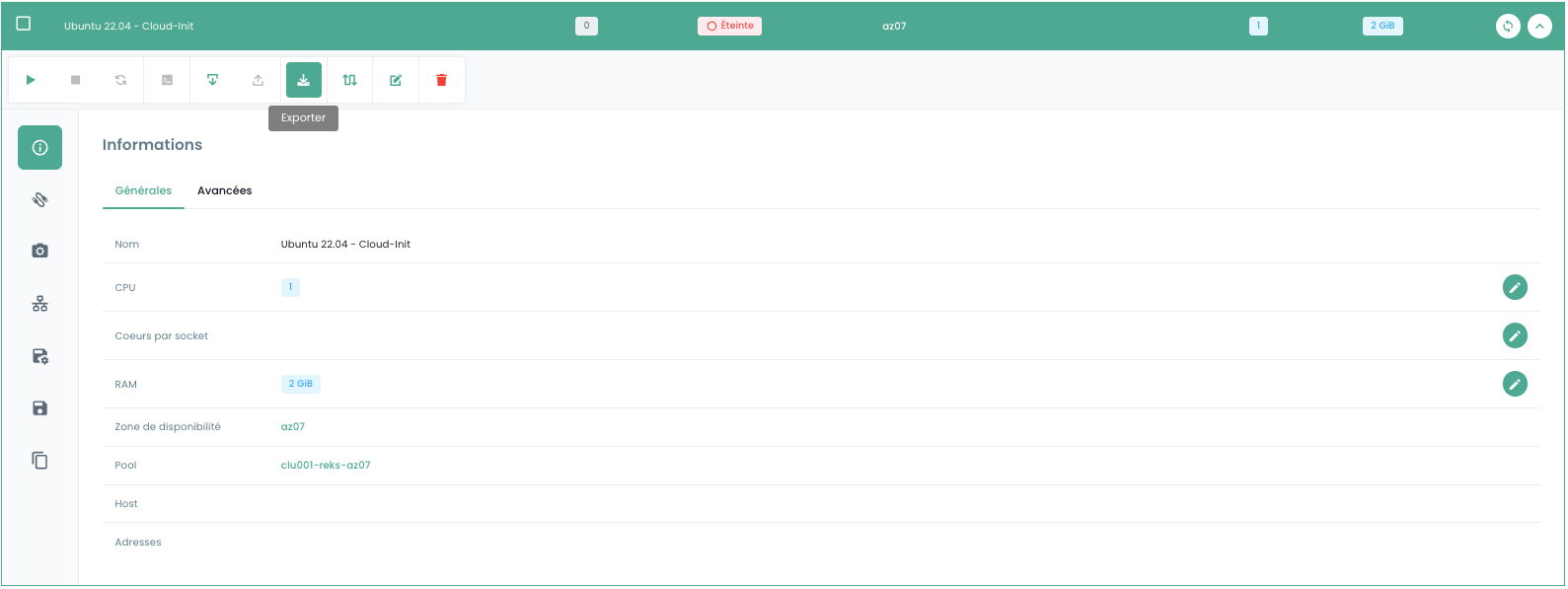
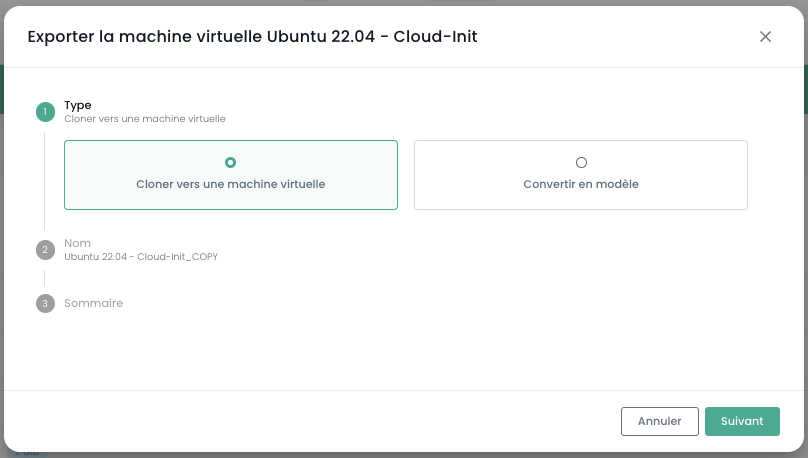
How to clone a virtual machine?
You can export a virtual machine by clicking the 'Export' icon:
How to Add a Backup Policy to a Virtual Machine?
Go to the 'Virtual Machines' page in the 'OpenIaaS' section of the green sidebar menu on the left side of the screen.
Select a virtual machine, then choose the 'Backup Policies' tab for that machine:
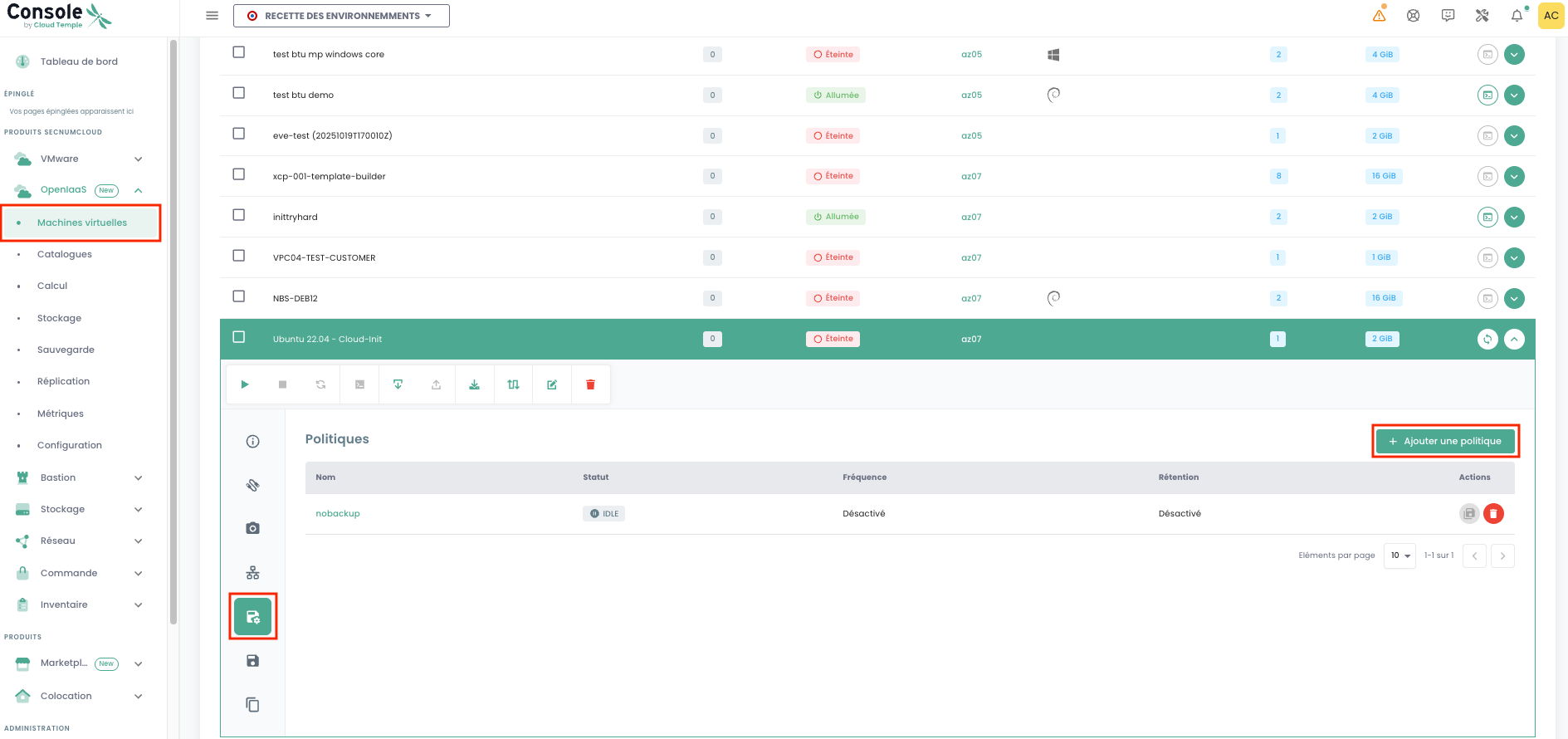
Add the desired backup policy:
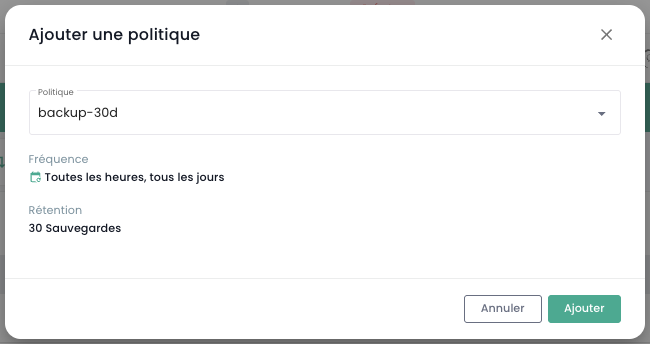
How to remove a backup policy from a virtual machine?
Go to the 'Virtual Machines' page, select a virtual machine, then navigate to the 'Backup Policies' tab for that machine.
Remove the desired backup policy and confirm the deletion:
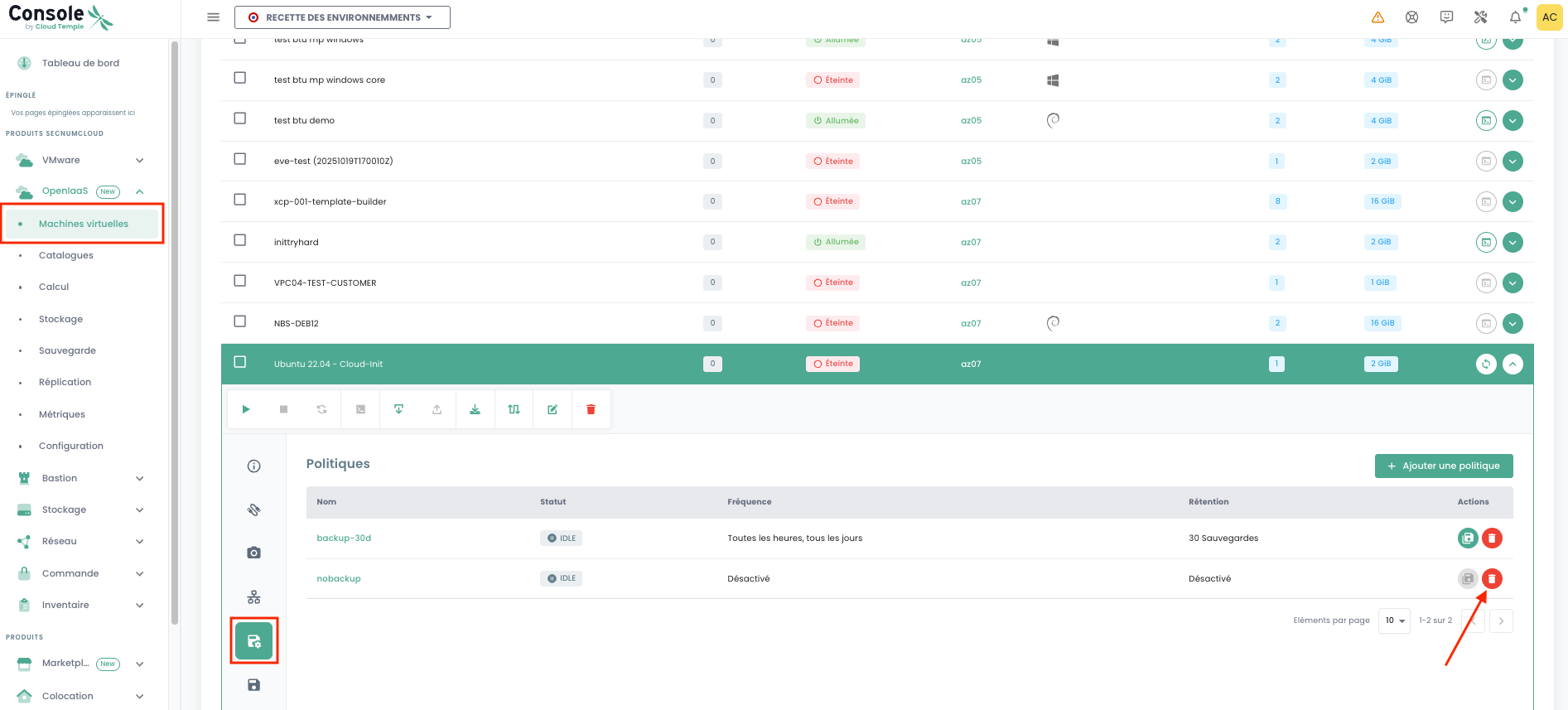
Note: Warning! SecNumCloud requires that at least one backup policy be assigned to each virtual machine.
How to check if a backup has executed successfully?
Go to the 'Reports' page in the 'Backup' menu from the navigation menu on the left side of your screen. Select the policy of your choice and choose it.
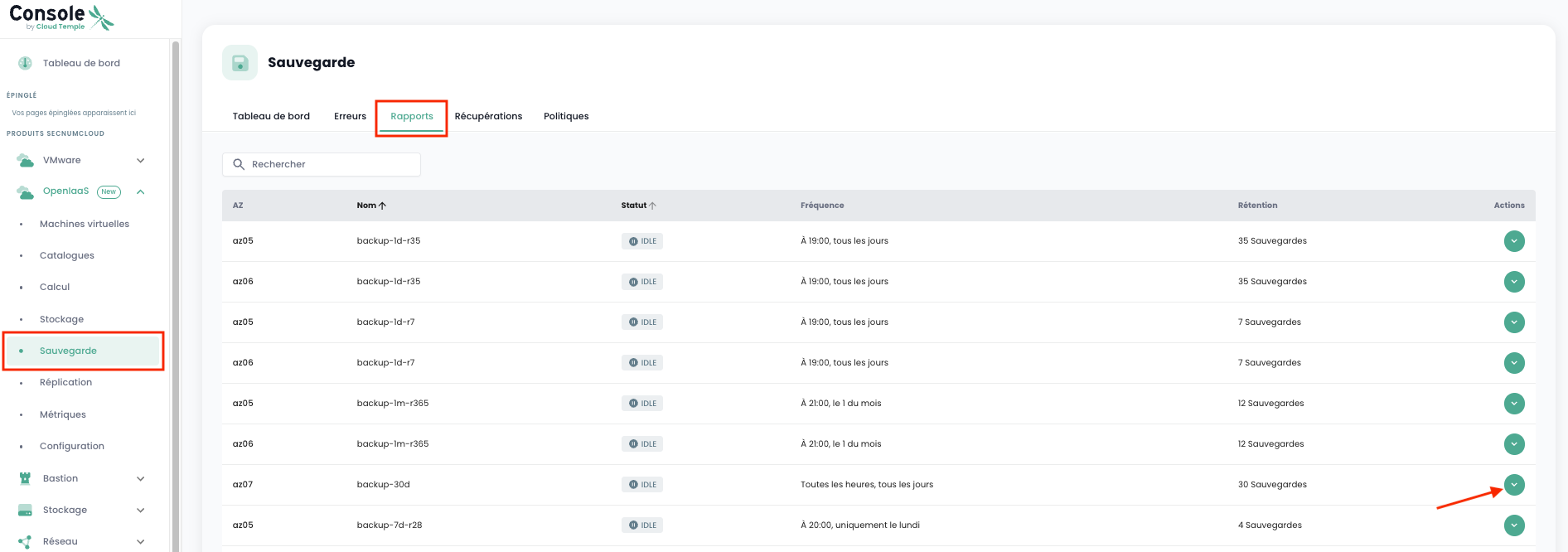
Once a policy is selected, you can access backups sorted by Start Date.
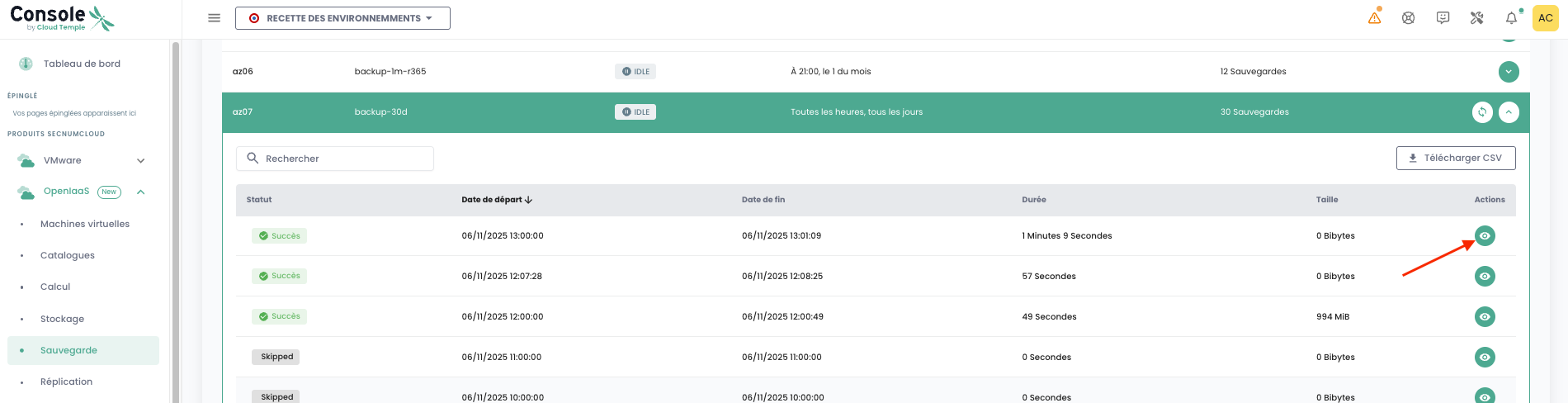
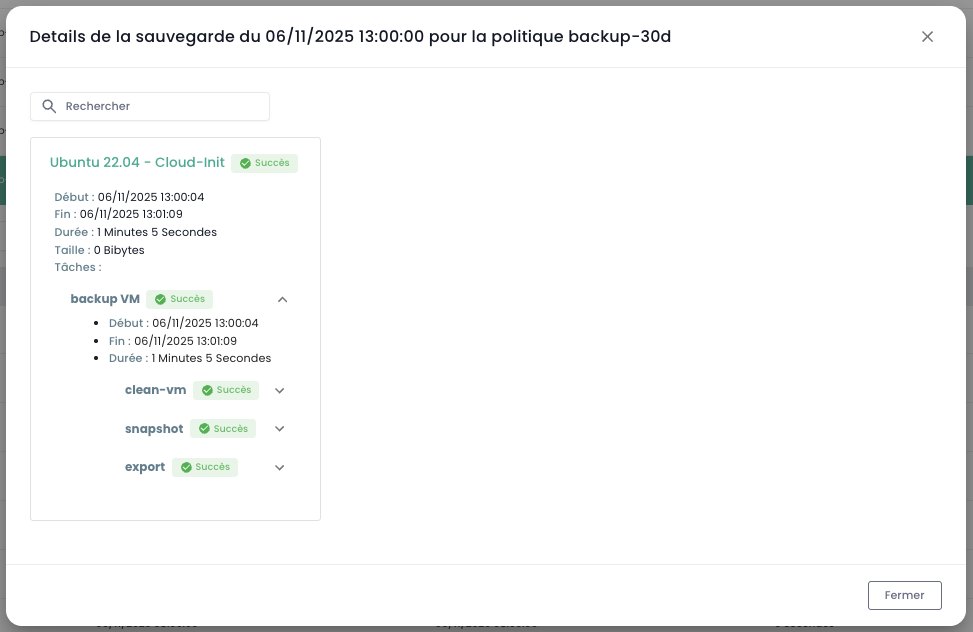
You can view the complete details of each backup by using the View action.
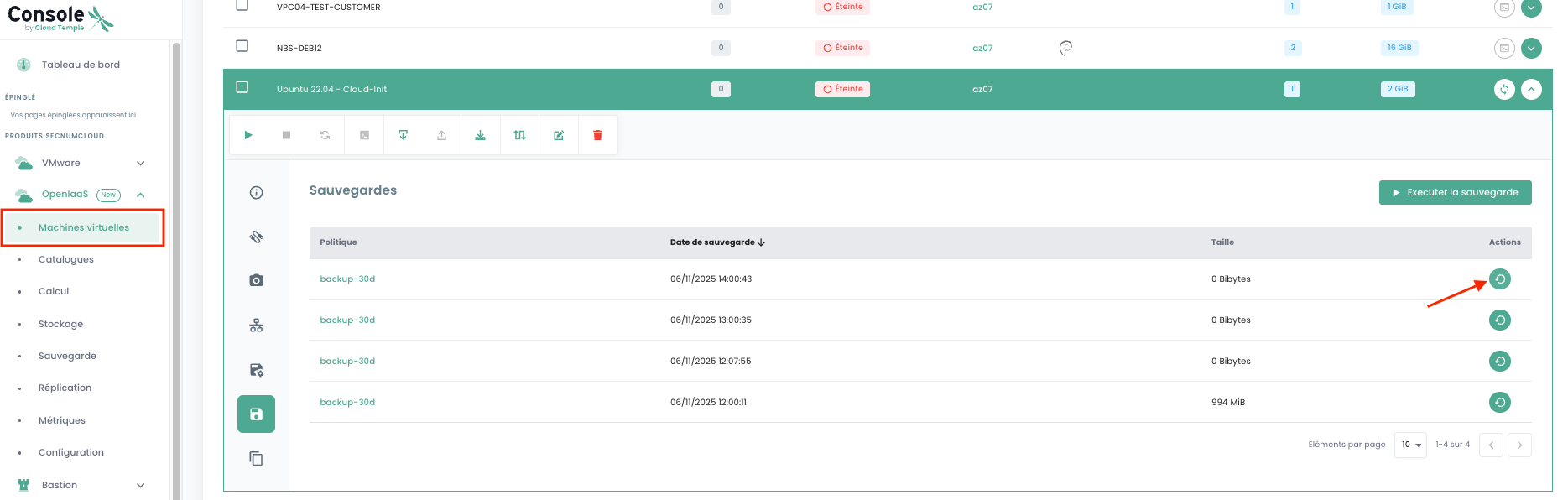
How to initiate a restoration?
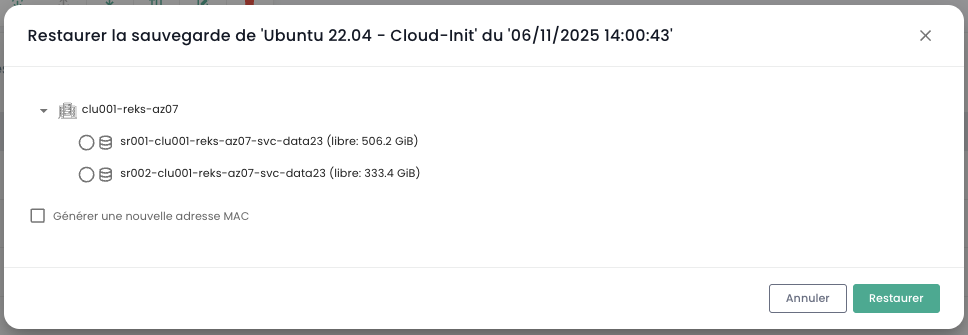
Go to the 'Virtual Machines' page, select a virtual machine, then the 'Backups' tab for that machine. To start the restoration, select the backup you want to restore.