Cost Manager
Overview
The Cost Manager is the Cloud Temple Console module dedicated to visibility of your consumption. It allows you to track in real time the usage of your cloud resources within a tenant and provides a clear view of your expenses.
This module addresses a fundamental need: understand what you consume, when you consume it, and at what cost, without having to navigate through complex tables or detailed invoices.
The Cost Manager displays the actual consumption of your resources on the selected tenant. Data is updated regularly to reflect your current usage.
Main Dashboard
The Cost Manager home page presents a visual summary of your consumption. Upon opening, you have an overview that allows you to quickly identify consumption trends and the most significant cost items.
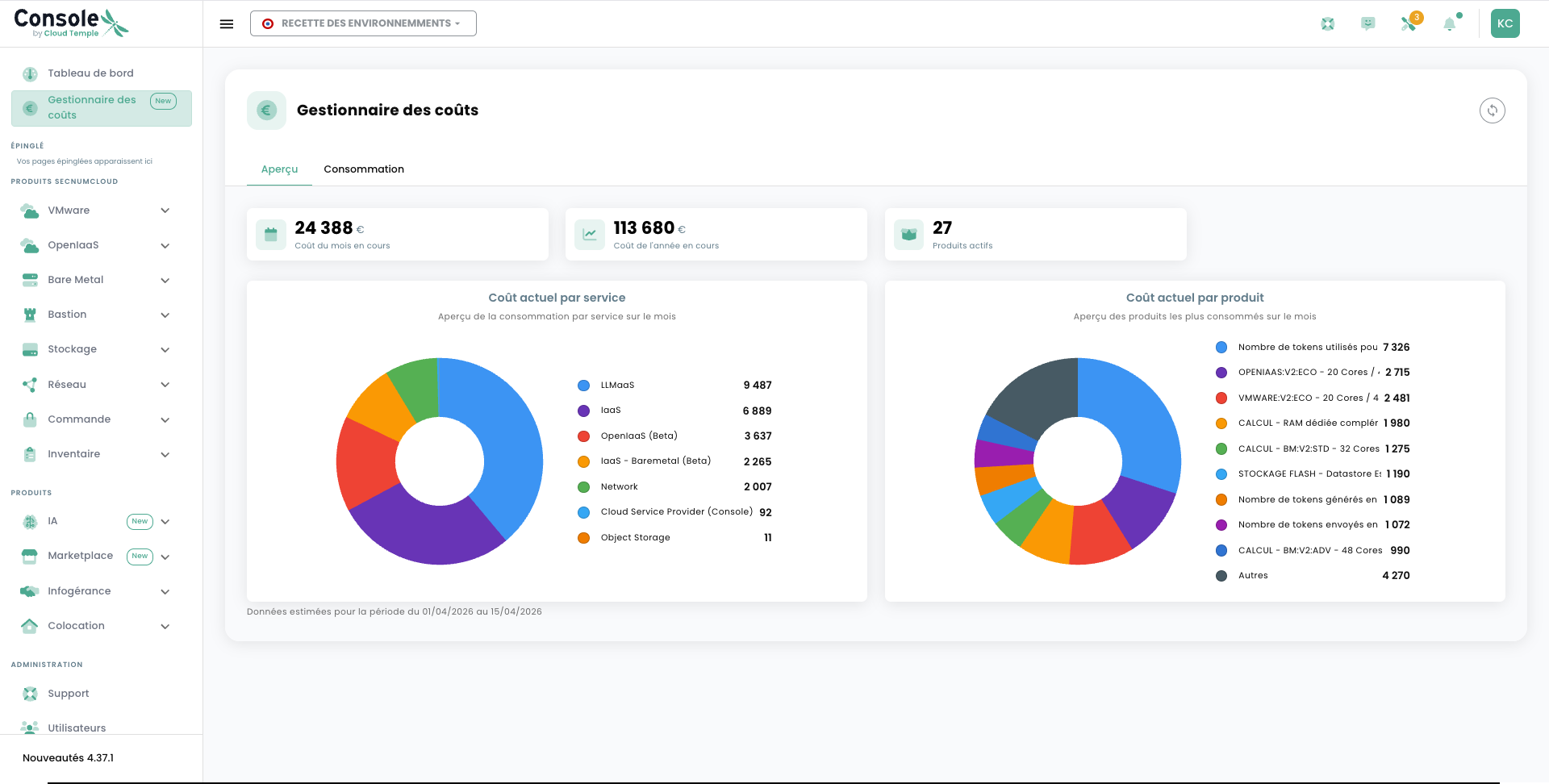
The dashboard is organized around several complementary axes, accessible via the tabs available at the top of the page.
Total Consumption
The Total Consumption tab offers an aggregated view of all your consumption over the selected period. This chart allows you to observe the evolution of your expenses over time and identify any spikes or trends.
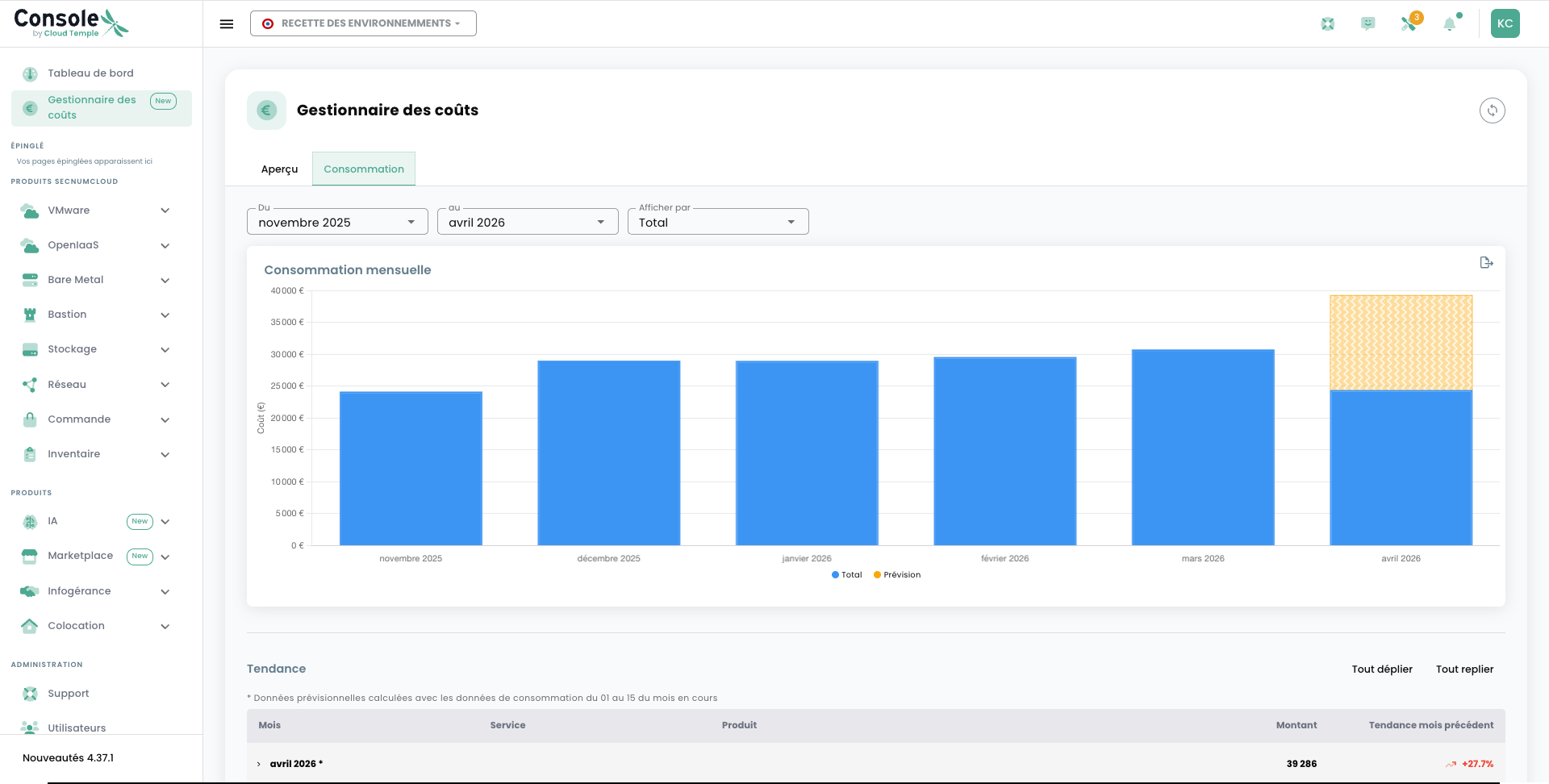
You can adjust the display period to refine your analysis: day, week, month, or custom range. The total consumption curve is directly readable and does not require any specific technical expertise.
Consumption by Product
The Consumption by Product tab breaks down your consumption according to the main Cloud Temple service families you have subscribed to: compute, storage, network, etc.
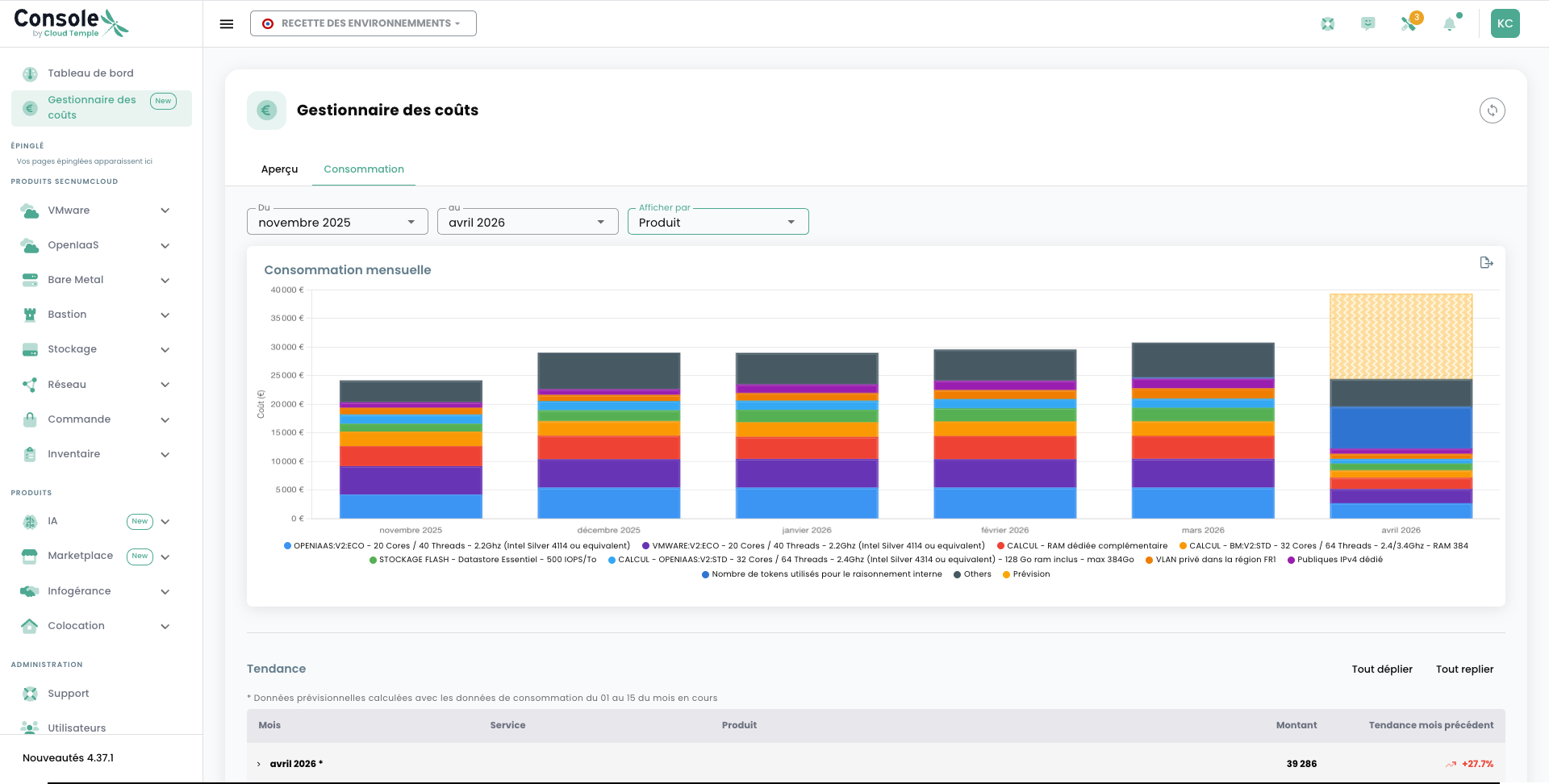
This view is particularly useful for identifying the most significant cost items and guiding optimization decisions. Each product is represented with its relative share in overall consumption, facilitating reading and comparison.
Consumption by Service
The Consumption by Service tab provides an additional level of detail by breaking down consumption by specific service within each product.
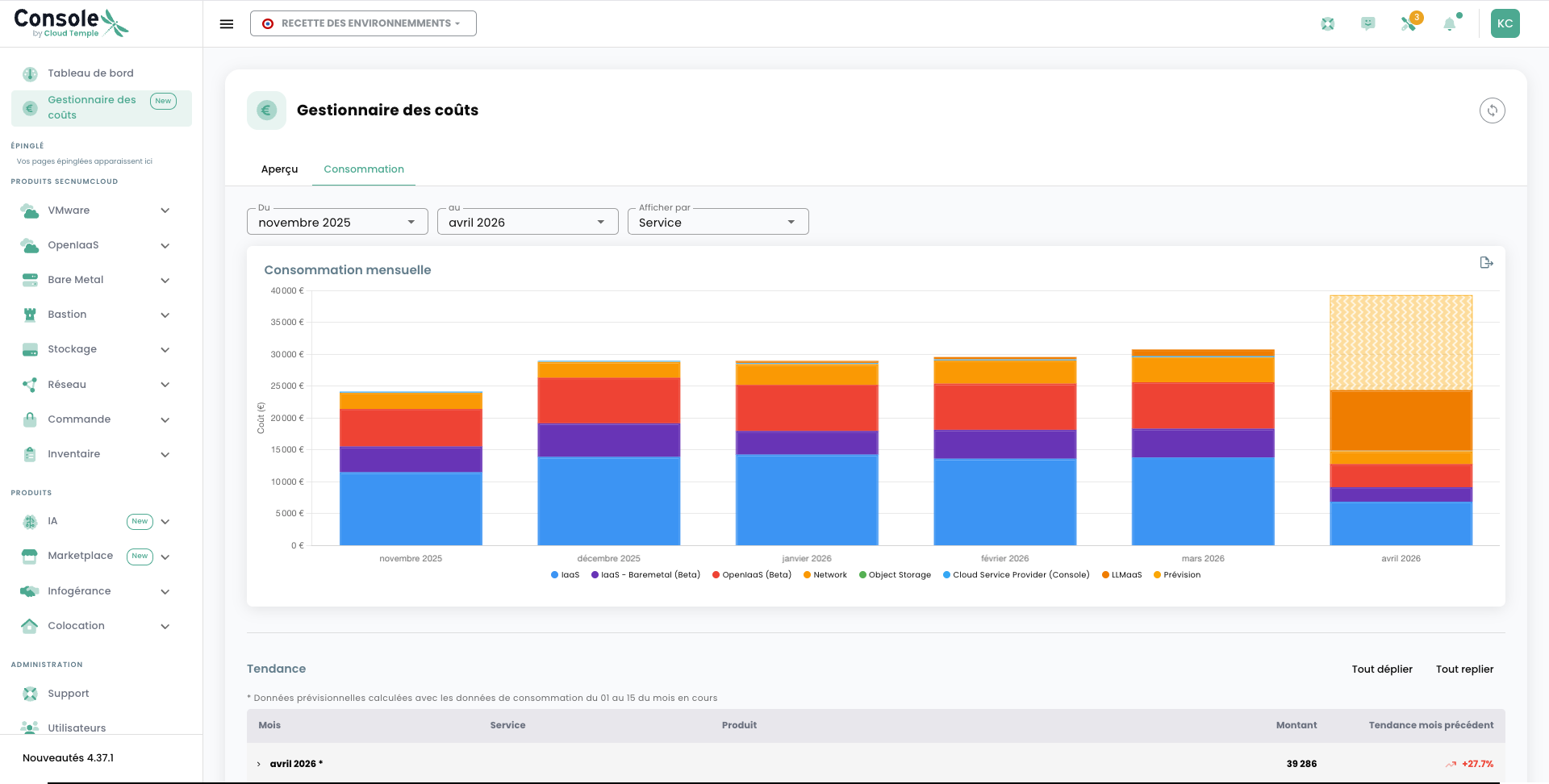
This level of granularity allows you to go further in your analysis: you can, for example, distinguish the consumption of your virtual machines, block storage, snapshots, or network bandwidth, thereby precisely identifying the resources generating the highest costs.
Consumption Details
The Consumption Details view presents a comprehensive table listing all resources consumed during the period. Each line corresponds to an identifiable resource (virtual machine, storage volume, public IP address, etc.) with its associated consumption level.
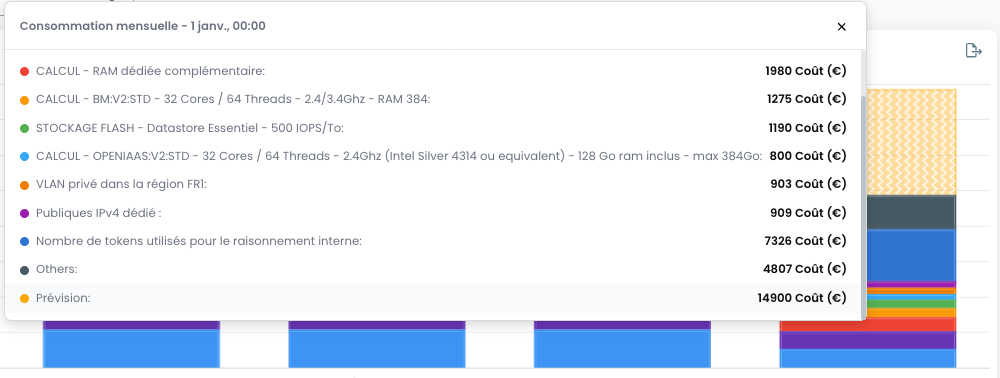
This detail is valuable for teams wishing to perform an analytical breakdown of their costs or to identify potentially unused resources that could be disabled to optimize expenses.
Pricing Grid
The Pricing Grid (or Price List) tab lists all unit rates applicable to the resources available in your tenant. It is the current price catalog allowing you to anticipate the cost of new resources before deployment.
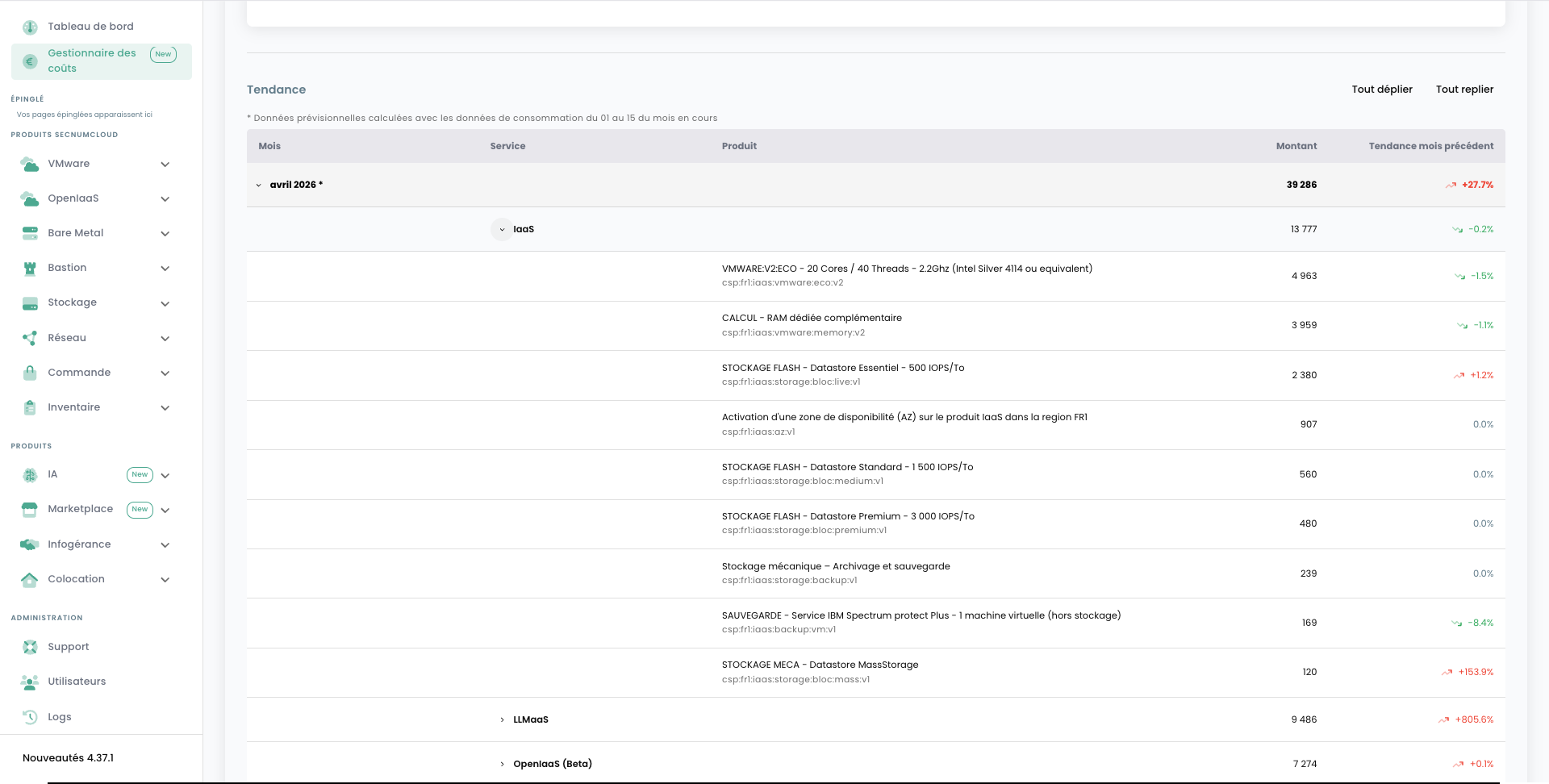
Each entry in the grid indicates:
- The resource type concerned
- The billing unit (per hour, per GB, per unit, etc.)
- The applicable unit price
For current public prices, consult the official Cloud Temple price catalog. The grid displayed in the Console shows the rates applicable to your tenant; combine this information with consumption data to identify optimization levers.
Best Practices
To get the most out of the Cost Manager, here are some recommendations:
- Check your consumption regularly to quickly detect any budget drift.
- Compare periods: the tool allows you to analyze month-by-month evolution to identify trends.
- Use the service view to identify underutilized or forgotten resources (old snapshots, disconnected volumes, etc.).
- Cross-reference with the pricing grid to assess the financial impact of any infrastructure changes before implementing them.