Network Configuration of the VM
This tutorial guides you through connecting a virtual machine to a VPC network and assigning it a static (private) IP address, as well as a public IP address if required.
Voraussetzungen
- Ein VPC und ein privates Netzwerk erstellt haben.
- Eine VM bereitgestellt haben (IaaS Open Source oder VMware).
1. Assigning a Static Private IP Address
You can set the private IP address of your VM in two ways.
Methode A: Von der virtuellen Maschine aus (Empfohlen)
Diese Methode ermöglicht die Konfiguration von Netzwerk und IP in einem einzigen Schritt bei der Erstellung der Schnittstelle.
- Öffnen Sie die Detailansicht Ihrer virtuellen Maschine.
- Gehen Sie zum Tab Netzwerkadapter.
- Klicken Sie auf die Schaltfläche Neuen Netzwerkadapter hinzufügen, um eine Schnittstelle hinzuzufügen.
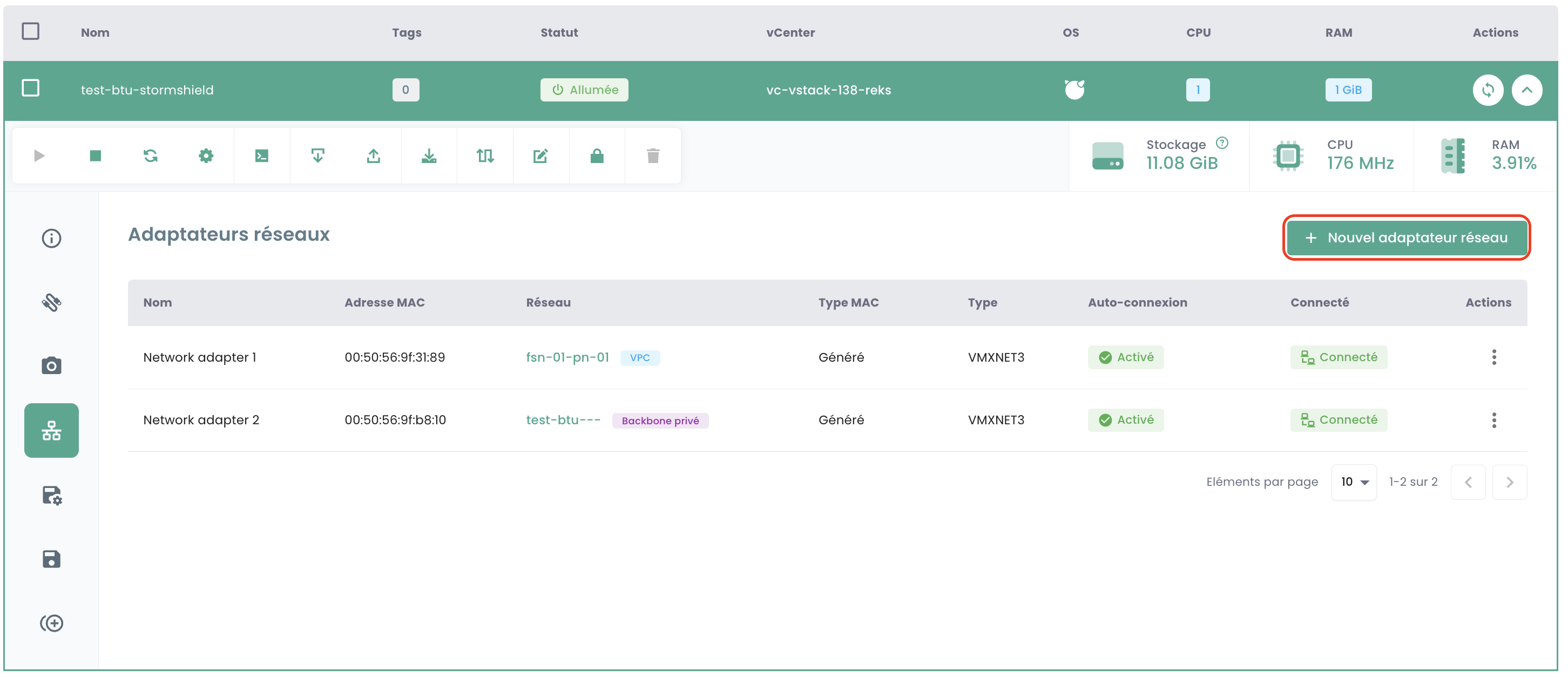
- Wählen Sie in der Modalauswahl Ihr VPC-Netzwerk aus.
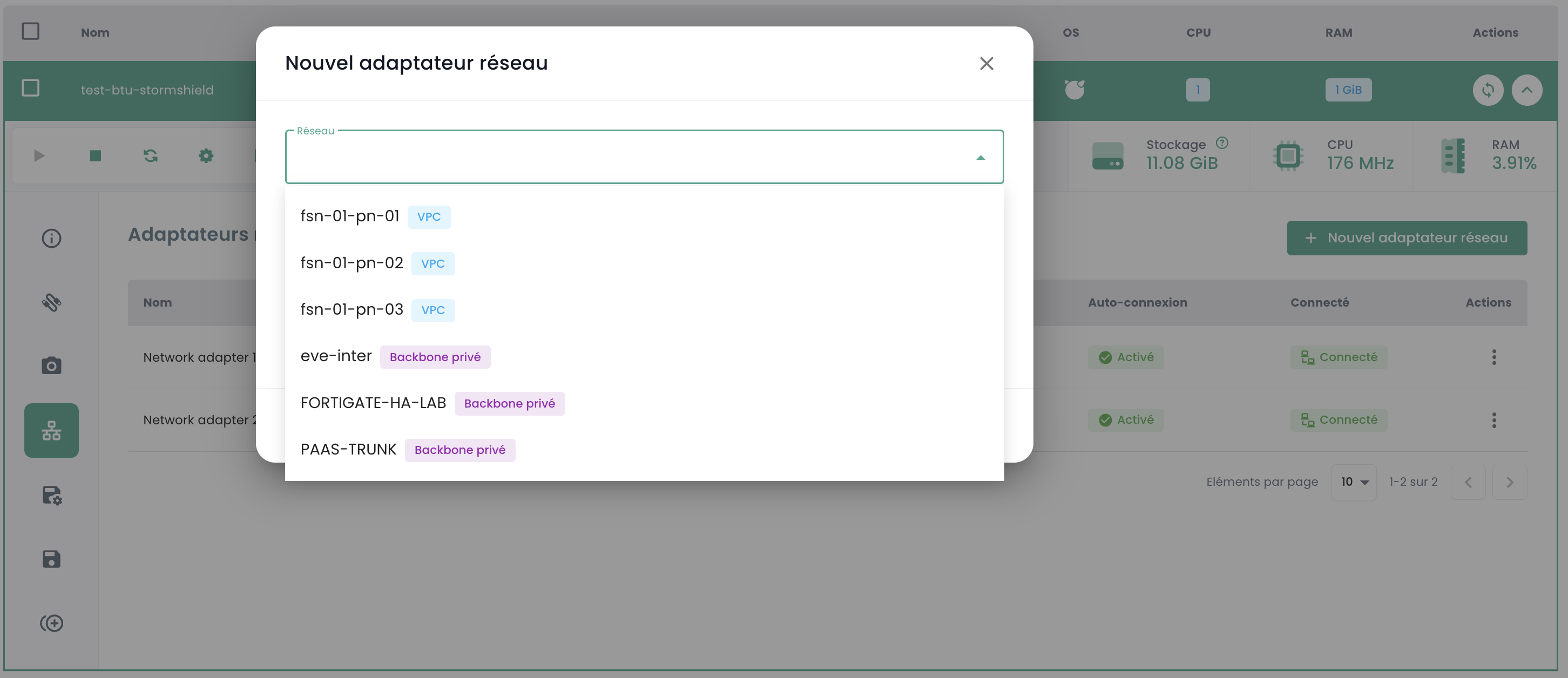
- Nach der Auswahl des Netzwerks wählen Sie eine der verfügbaren statischen IPs aus.
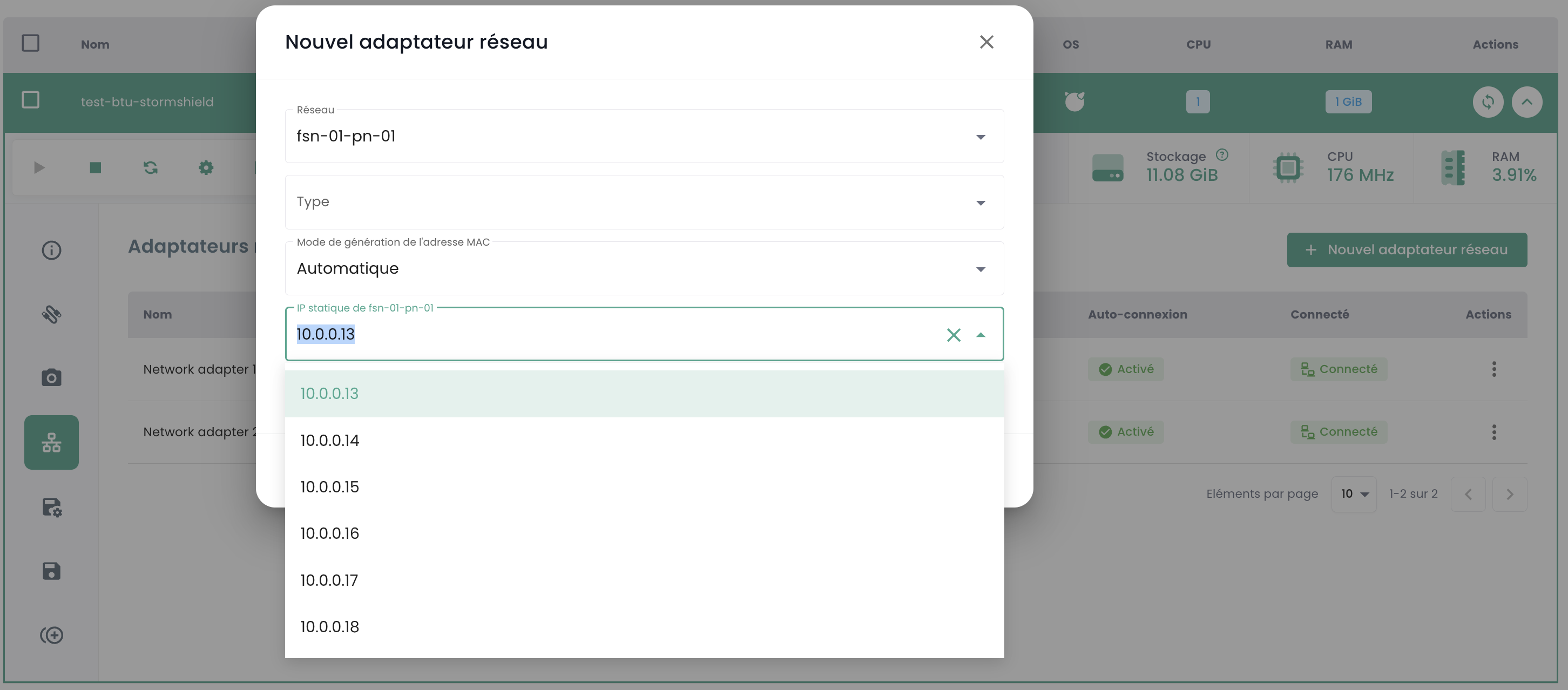
- Bestätigen Sie die Erstellung.
Hinweis: Sie können den Netzwerkadapter später bearbeiten, um das Netzwerk zu wechseln, falls erforderlich.
Method B: From the Private Networks View
This method is useful for reserving an IP address before creating the VM or for modifying an existing association.
- Go to the detailed view of your VPC, tab Private Networks.
- Expand the IP address pool of the relevant network.
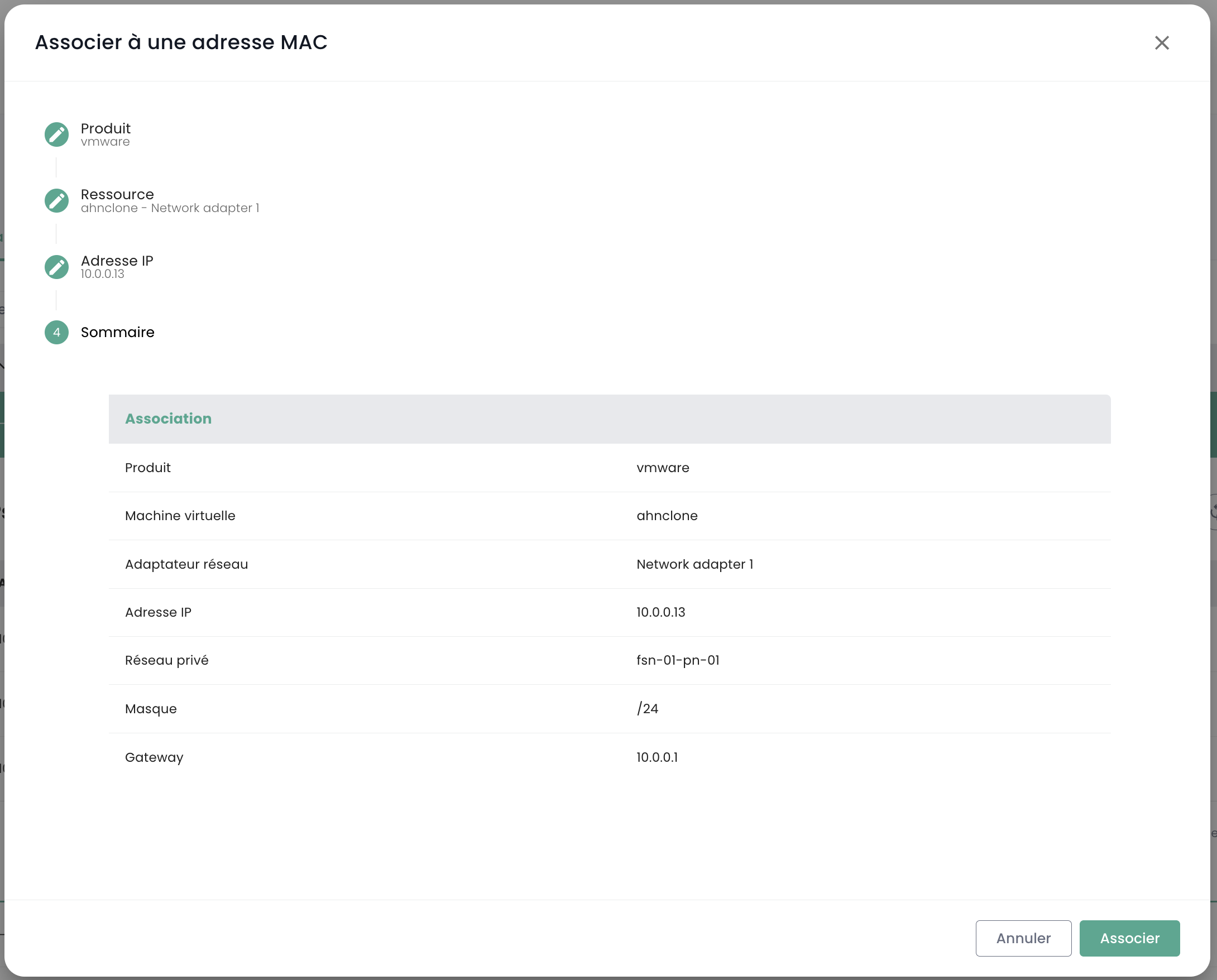
- Click the action "Associate with MAC address" for an available IP.
- In the modal, associate one of the static IPs with the MAC address of a VM.
2. Associating a Public IP (Optional)
If you want to make your VM accessible from the internet.
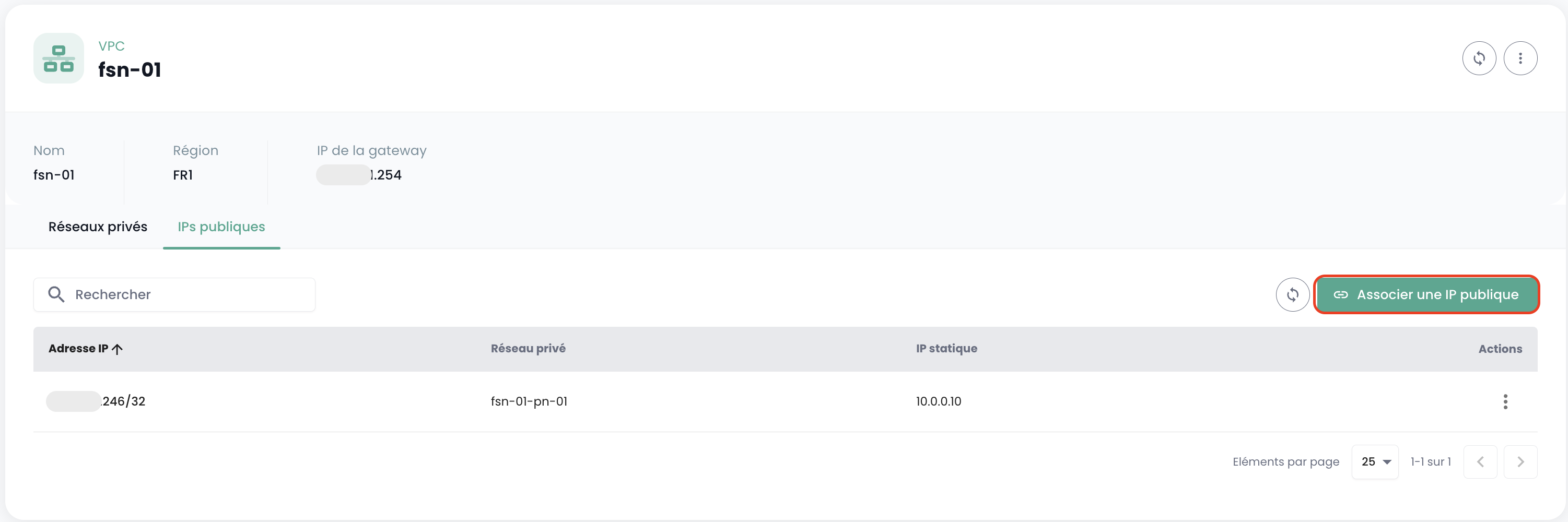
- From the detailed view of your VPC, go to the Public IPs tab.
-
Click the Associate a public IP button.
-
In the modal, select the target private network and static IP, then confirm the association.
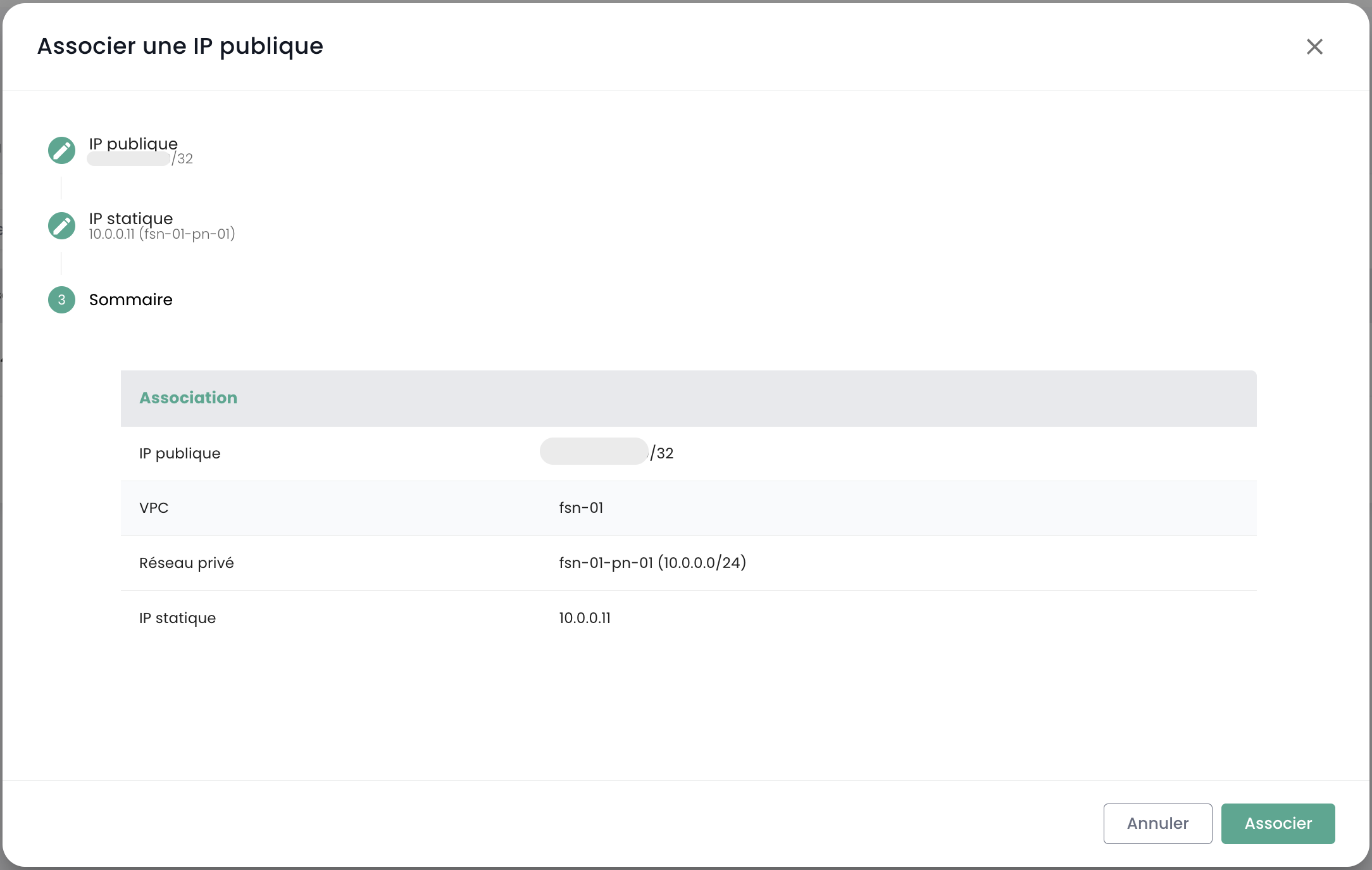
- Once the association is complete, you can use this public IP address to access your VM.
Guest OS Configuration
Important: To ensure the static (private) IP address is correctly assigned, make sure the network interface of your guest operating system (OS) is configured in DHCP mode. The VPC's DHCP service will assign the reserved address.