OpenIaaS-Image anpassen
Dieses Tutorial erläutert, wie Sie ein von der Marketplace bereitgestelltes OpenIaaS-VM-Image (VMI) anpassen, um Ihre eigenen wiederverwendbaren Vorlagen zu erstellen.
Allgemeines Prinzip
Die Marketplace stellt generische Betriebssysteme (OS) bereit. Das Deployment über die Marketplace bietet Ihnen eine solide Grundlage, die sich schnell und einfach bereitstellen lässt, wodurch manuelle Uploads entfallen und Ihre Bereitstellungen beschleunigt werden.
Nach dem Deployment wird das Image zu einer virtuellen Maschine, die Sie konfigurieren können. Anschließend können Sie sie als wiederverwendbare Vorlage exportieren, die von allen Benutzern Ihres Tenants genutzt werden kann.
Schritte zur Anpassung
- Das Basis-Image aus dem Marketplace bereitstellen.
- Die virtuelle Maschine nach Ihren Anforderungen konfigurieren.
- Eine Vorlage aus der konfigurierten virtuellen Maschine erstellen.
- Eine neue virtuelle Maschine aus Ihrer benutzerdefinierten Vorlage bereitstellen.
Schritt 1: Bereitstellen des Basisimages
Folgen Sie dem Tutorial Bereitstellen eines Images auf OpenIaaS, um zu beginnen.
Schritt 2: Virtuelle Maschine konfigurieren
Nachdem die virtuelle Maschine bereitgestellt wurde, konfigurieren Sie sie entsprechend Ihren Anforderungen (Softwareinstallation, Sicherheitskonfiguration usw.).
Schritt 3: Erstellen einer Vorlage aus der virtuellen Maschine
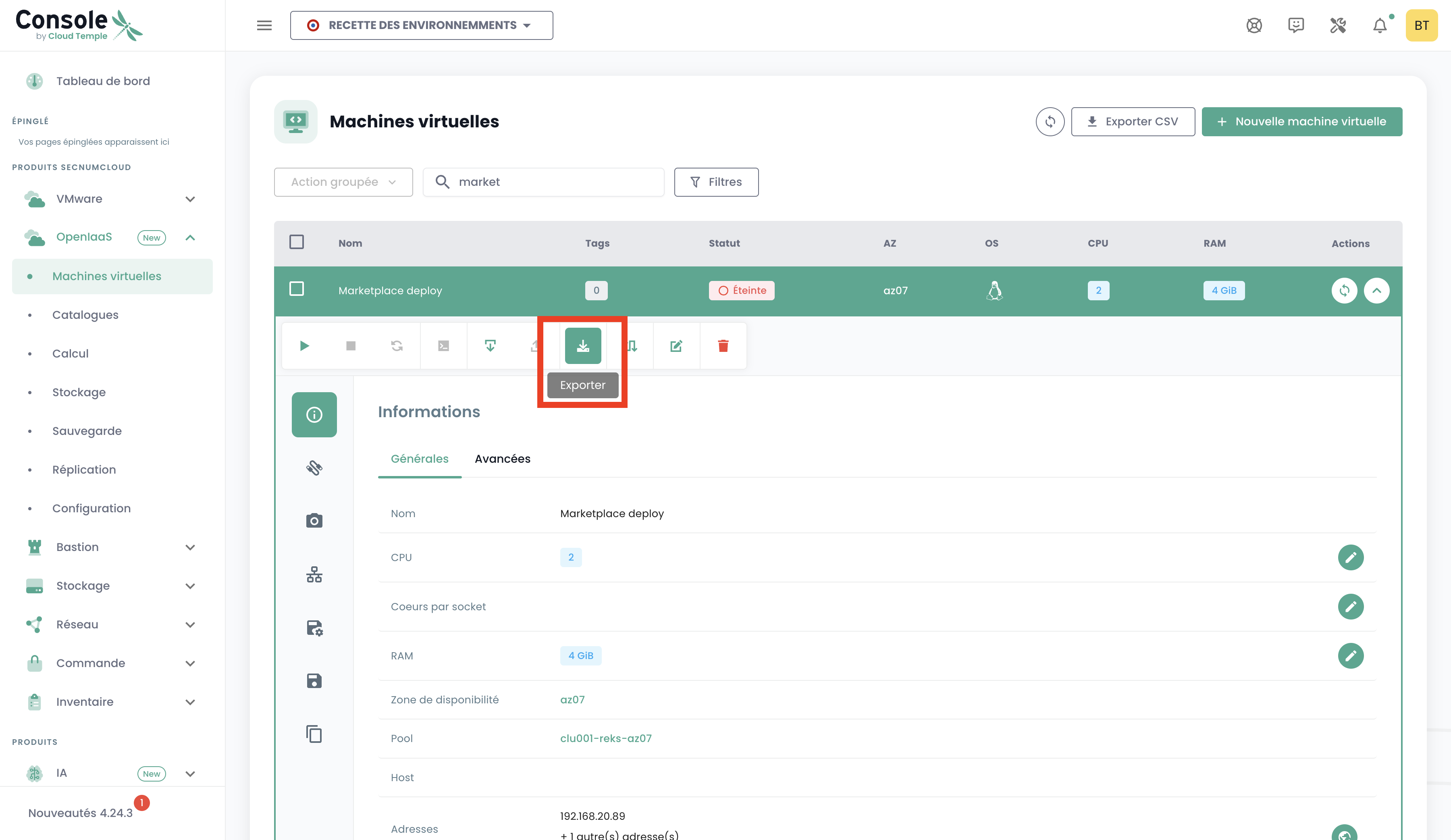
- Wählen Sie in der Liste Ihrer virtuellen Maschinen die konfigurierte virtuelle Maschine aus.
- Wählen Sie in der Aktionsleiste "Exportieren" aus.
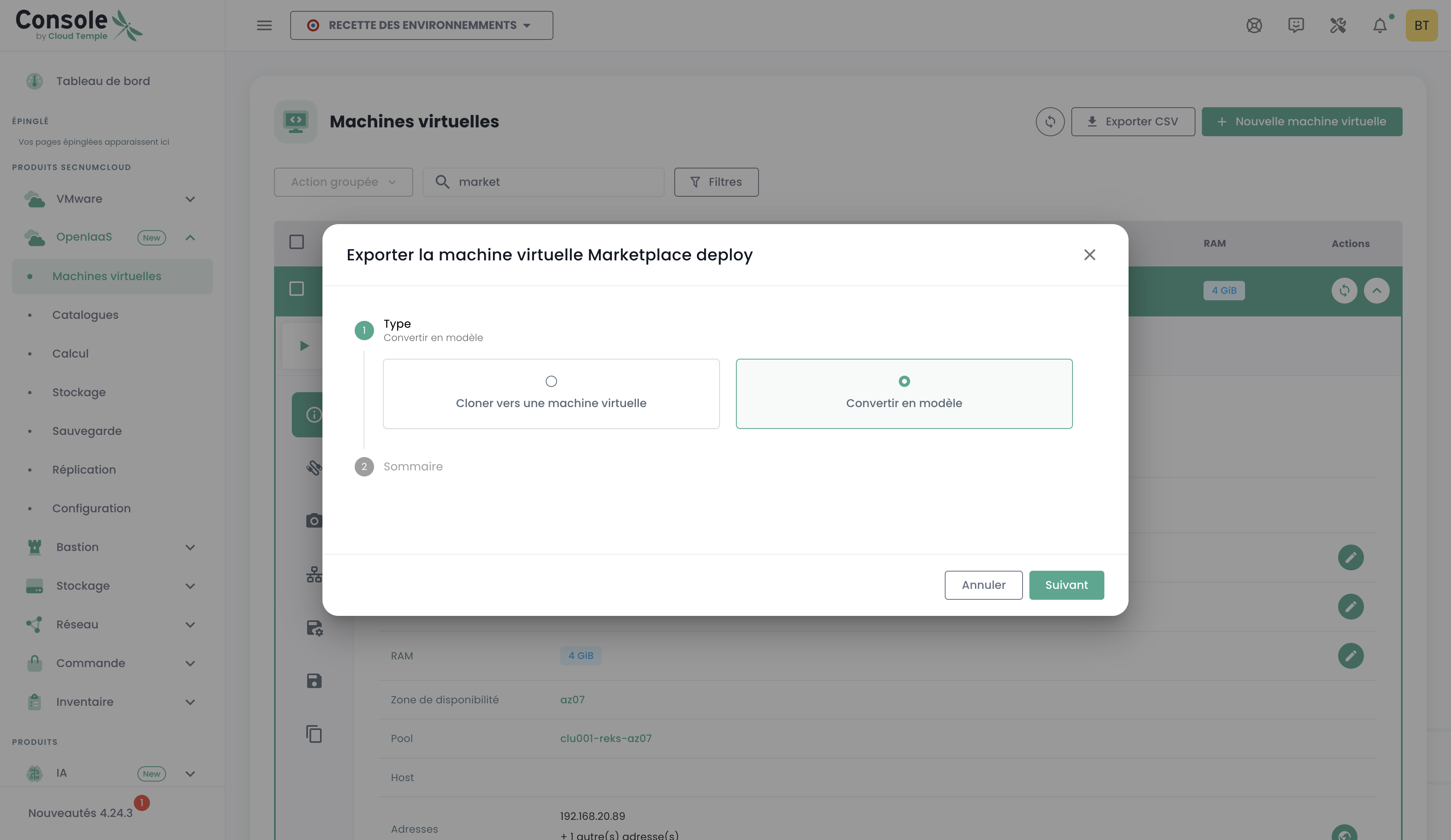
- Folgen Sie den Schritten in der Konsole, um die Vorlage zu exportieren.
Schritt 4: Bereitstellung aus Ihrem neuen Modell
Sie können über die Seite "Katalog" oder über die Seite "Virtuelle Maschinen" bereitstellen.
Um die Bereitstellung von der Seite Virtuelle Maschinen durchzuführen:
- Klicken Sie auf "Virtuelle Maschine erstellen".
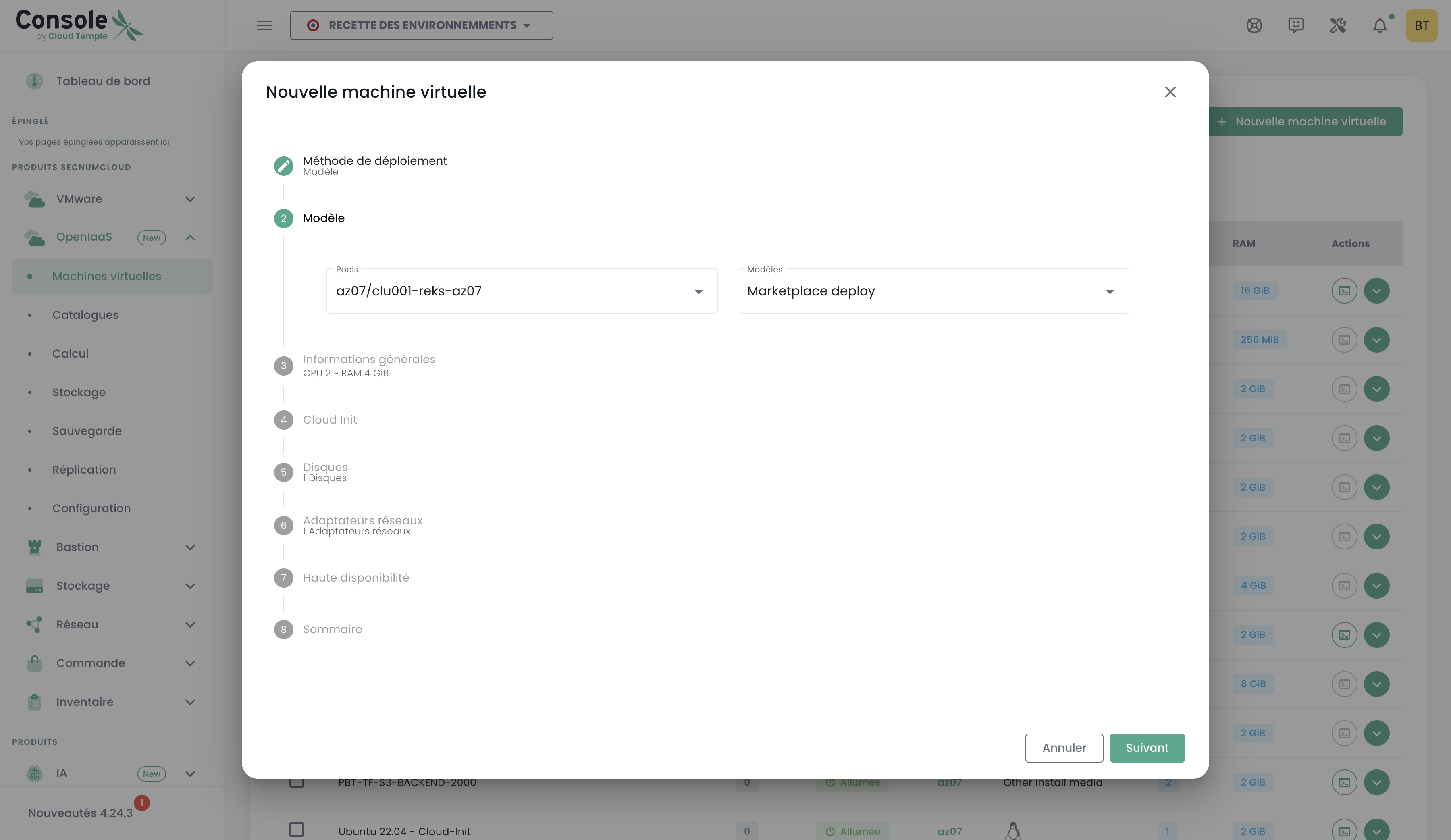
- Wählen Sie "Bereitstellung aus einem Modell".
- Wählen Sie Ihr neues Modell in der Liste aus.