Sichern Sie Ihre Anwendungen mit Veeam Kasten
Einführung
Veeam Kasten K10 ist eine Backup- und Wiederherstellungslösung, die speziell für Kubernetes-Umgebungen entwickelt wurde. Im Produkt Managed Kubernetes von Cloud Temple ist Kasten integriert, damit Sie Ihre Anwendungen schützen, Daten bei Bedarf wiederherstellen und die Geschäftskontinuität gewährleisten können.
Dieses Tutorial führt Sie durch die grundlegenden Schritte zum Sichern und Wiederherstellen einer Anwendung mit Kasten.
Voraussetzungen
Stellen Sie vor dem Start sicher, dass Sie über Folgendes verfügen:
- Einen aktiven Managed Kubernetes-Cluster.
- Die Cluster-ID (z. B.
ctodev). - Eine in Ihrem Cluster bereitgestellte Anwendung, die Sie sichern möchten.
1. Zugriff auf das Kasten-Dashboard
Das Kasten-Dashboard ist über eine sichere URL zugänglich, die aus der ID Ihres Clusters erstellt wird.
-
Erstellen Sie die Zugriffs-URL: Die URL basiert auf dem folgenden Muster:
https://k10.external-secured.<identifiant>.mk.ms-cloud-temple.com/k10/Ersetzen Sie<identifiant>durch die ID Ihres Clusters. Wenn Ihre ID beispielsweisectodevlautet, lautet die URL:https://k10.external-secured.ctodev.mk.ms-cloud-temple.com/k10/. -
Rufen Sie die URL in Ihrem Browser auf.
ℹ️Hinweis zur Sicherheit Der Zugriff auf diese URL ist auf die öffentlichen IP-Adressen beschränkt, die Sie angegeben haben. Wenn Sie sich nicht anmelden können, stellen Sie sicher, dass Ihre IP-Adresse autorisiert ist, indem Sie den Cloud Temple-Support kontaktieren.
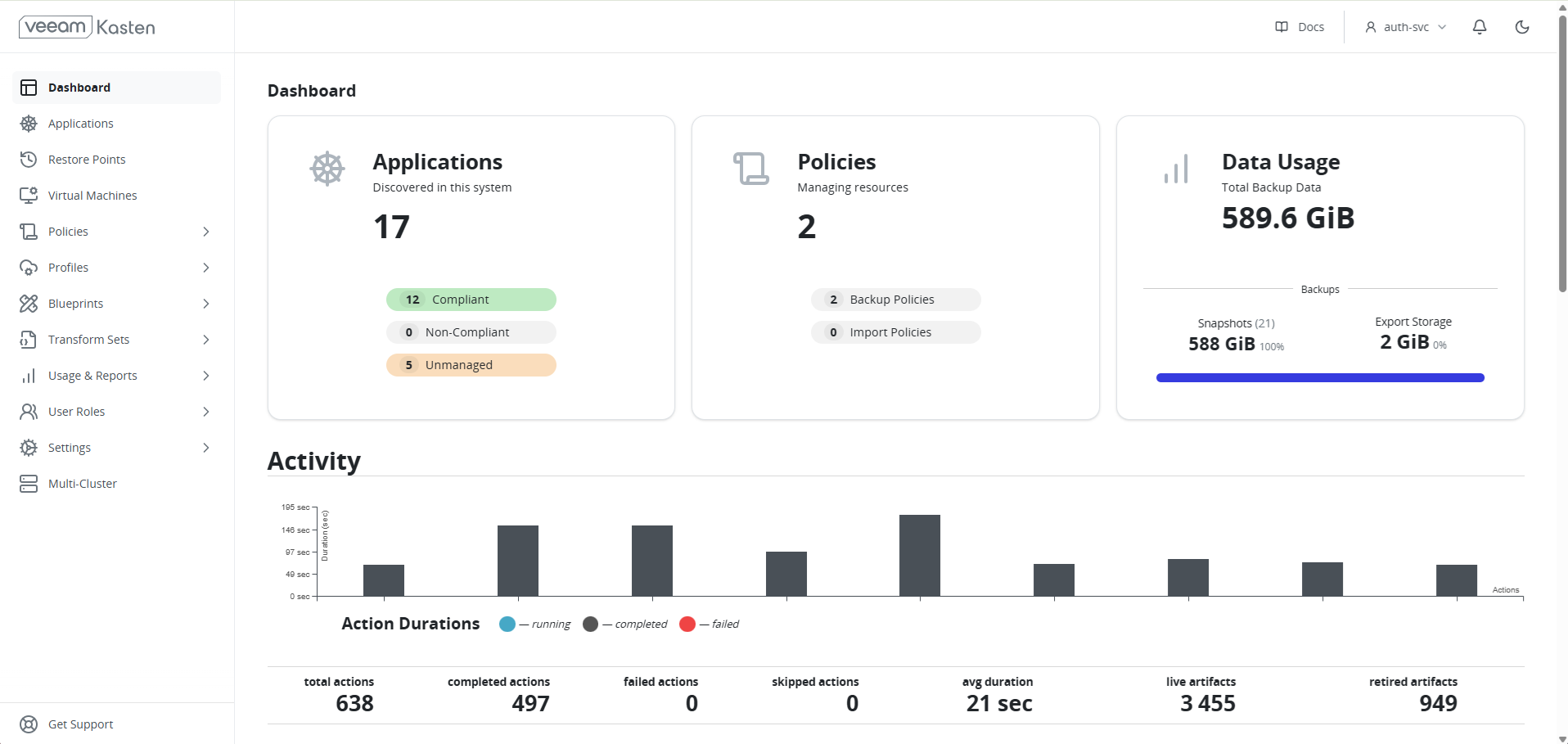
ℹ️[Integrierter Schnellstart-Leitfaden] Die Kasten-Konsole enthält auf ihrer Startseite einen interaktiven Schnellstart-Leitfaden. Nutzen Sie diesen gerne für den ersten Einstieg direkt über die Benutzeroberfläche.
2. Verständnis der Backup-Speicherung
Standardmäßig ist Kasten so vorkonfiguriert, dass es den Objektspeicherdienst (S3) von Cloud Temple zur sicheren und dauerhaften Speicherung Ihrer Backups verwendet.
Sie müssen keine Konfiguration vornehmen. Der Speicherort ist im Kasten-Dashboard unter Settings > Locations bereits festgelegt. Diese Konfiguration gewährleistet, dass Ihre Daten auf einer souveränen Infrastruktur gespeichert werden.
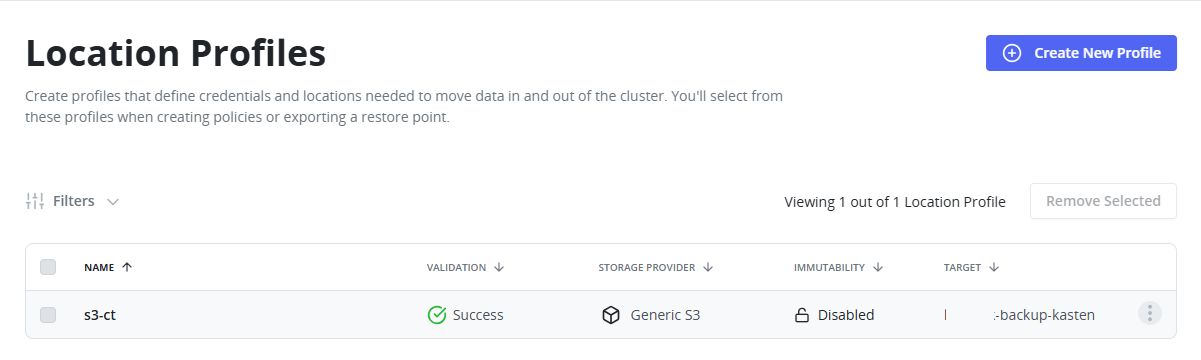
ℹ️[Kostenmodell] Der Veeam Kasten-Dienst ist im Produkt Managed Kubernetes enthalten. Die Speicherung der Backups auf unserem souveränen S3 wird nach Verbrauch abgerechnet. Weitere Details finden Sie in den öffentlichen Preisen auf der Cloud Temple-Website.
3. Erstellen einer Backup-Richtlinie
Eine Backup-Richtlinie (Policy) ist eine Reihe von Regeln, die festlegen, wann und wie Ihre Anwendungen gesichert werden.
⚠[Bestehende Backup-Richtlinie] Eine Backup-Richtlinie mit dem Namen infra-backups ist in Ihrer Kasten-Instanz bereits konfiguriert. Diese Richtlinie sichert die wesentlichen Komponenten, die mit dem Cluster geliefert werden.
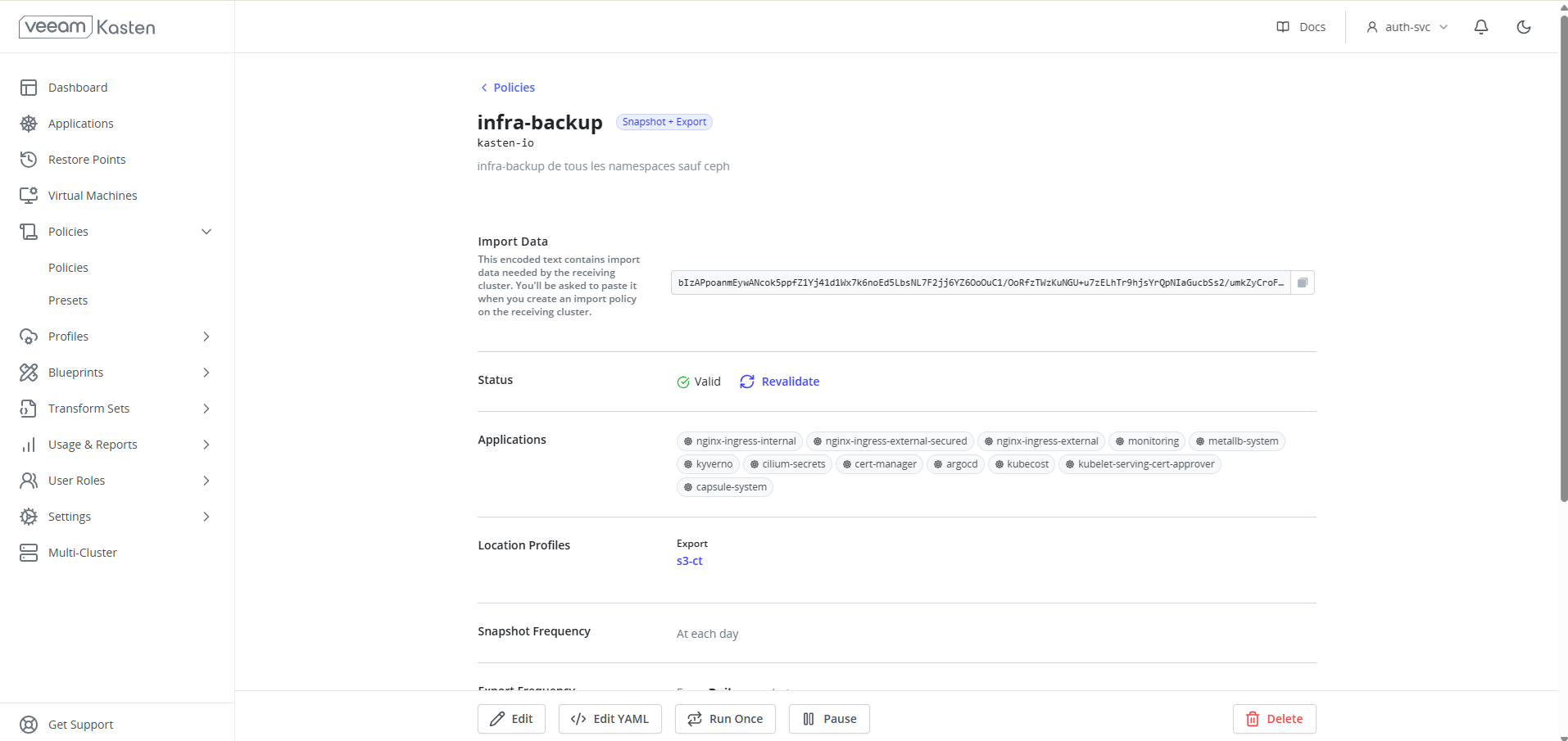
Ändern oder löschen Sie diese Richtlinie nicht.
Sie müssen Ihre eigenen Richtlinien erstellen, um die von Ihnen bereitgestellten Anwendungen zu sichern.
-
Gehen Sie im Kasten-Dashboard zum Bereich Policies und klicken Sie auf Create New Policy.
-
Benennen Sie Ihre Richtlinie: Geben Sie einen beschreibenden Namen ein, z. B.
backup-my-app-daily. -
Legen Sie die Häufigkeit (Action) fest:
- Action:
Snapshot(Momentaufnahme). - Frequency: Wählen Sie die gewünschte Häufigkeit (z. B.
Dailyum02:00).
- Action:
-
Wählen Sie die zu sichernden Ressourcen aus:
- Select resources by: Sie können Anwendungen nach Name (
Application Name), nach Namespace (Namespace) oder nach Labels auswählen. - Um alle Anwendungen eines Namespaces zu sichern, wählen Sie
Namespaceund wählen Sie den gewünschten Namespace aus.
- Select resources by: Sie können Anwendungen nach Name (
-
Klicken Sie auf
Create Policy, um zu speichern.
Die Richtlinie wird automatisch im festgelegten Intervall ausgeführt. Sie können auch eine manuelle Ausführung starten, indem Sie auf die Schaltfläche "Play" (▶️) neben der Richtlinie klicken.
Schnelle Backup-Richtlinien
Um den Einstieg in Kasten zu erleichtern, hat Cloud-Temple 24 Backup-Richtlinien bereitgestellt, die zu einer festen Uhrzeit ein Backup durchführen und eine Aufbewahrungsfrist von 7 Tagen im S3-Storage vorsehen.
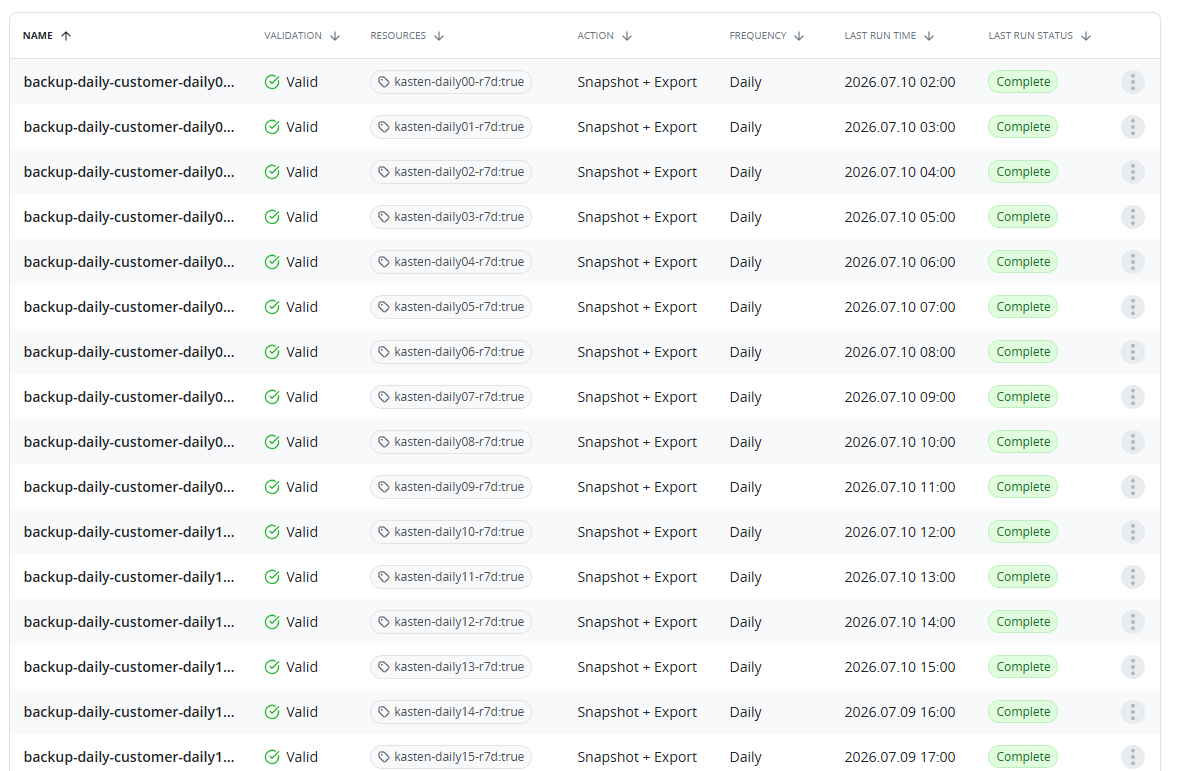
Diese Richtlinien gelten für Namespaces, die über ein Label verfügen, das angibt, welche(n) Richtlinie(n) angewendet werden sollen.
Ein Namespace mit dem Label kasten-daily05-r7d = true wird beispielsweise täglich um 05:00 Uhr UTC in den S3-Storage gesichert, mit einer Aufbewahrungsfrist von 7 Tagen.
4. Wiederherstellen einer Anwendung
Kasten erleichtert die Wiederherstellung einer Anwendung auf ihren vorherigen Zustand aus einem Wiederherstellungspunkt.
-
Gehen Sie im Dashboard zum Bereich Applications. Dort sehen Sie die Liste Ihrer Anwendungen und deren Konformitätsstatus im Hinblick auf die Backup-Richtlinien.
-
Wählen Sie die Anwendung aus, die Sie wiederherstellen möchten.
-
Wählen Sie einen Wiederherstellungspunkt: Die Anwendungsseite zeigt eine Liste der verfügbaren Wiederherstellungspunkte. Wählen Sie den gewünschten Punkt aus und klicken Sie auf Restore.
-
Konfigurieren Sie die Wiederherstellung:
- Sie können wählen, ob in einem neuen Namespace wiederhergestellt oder die vorhandene Anwendung überschrieben werden soll. Für dieses Tutorial werden wir die vorhandene Anwendung überschreiben.
- Klicken Sie auf Restore, um den Prozess zu starten.
Kasten stellt die Anwendung nun auf den Zustand wieder her, der in der Momentaufnahme erfasst wurde. Den Fortschritt können Sie im Dashboard verfolgen.
5. Sicherheit der Backups
Der Schutz Ihrer Backup-Daten hat Priorität. Die Integration von Kasten in das Produkt Managed Kubernetes entspricht den höchsten Sicherheitsstandards.
- Verschlüsselung: Gemäß den SecNumCloud-Anforderungen werden alle Ihre Backups verschlüsselt. Die Daten werden während der Übertragung zum S3-Speicher mit dem Protokoll TLS 1.3 und im Ruhezustand in den Storage-Buckets mit dem Algorithmus AES-256 verschlüsselt.
- Berechtigungsmanagement: Der Zugriff auf die Kasten-Oberfläche und ihre Funktionen wird durch ein Berechtigungssystem gesteuert, das auf dem RBAC von Kubernetes basiert. Nur autorisierte Benutzer können Backup- und Wiederherstellungsrichtlinien erstellen, ändern oder ausführen, was eine strenge Governance Ihrer Backup-Vorgänge gewährleistet.
Fazit
Sie haben gelernt, wie Sie Veeam Kasten für grundlegende Backup- und Wiederherstellungsvorgänge in Ihrem Managed Kubernetes-Cluster verwenden. Kasten bietet viele erweiterte Funktionen, wie die Migration von Anwendungen zwischen Clustern und granulare Aufbewahrungsrichtlinien, die Sie erkunden können, um Ihre Datenschutzstrategie zu stärken.
Weitere Informationen finden Sie in der offiziellen Dokumentation von Kasten K10.