Bereitstellung aus einer Vorlage
Dieser Leitfaden ermöglicht es Ihnen, Ihre ersten Instanzen in der Cloud de Confiance in weniger als 5 Minuten bereitzustellen.
Voraussetzungen
- Das Cloud Temple-Produkt abonniert haben (Abonnement des IaaS-Produkts).
- Die Berechtigungen für den Objekt-Treiber 'IaaS' aktiviert haben.
Eine virtuelle Maschine aus einer Vorlage bereitstellen
Dieser Leitfaden zeigt Ihnen Schritt für Schritt, wie Sie eine virtuelle Maschine aus einer Vorlage in der Konsole bereitstellen.
Navigieren Sie im Konsolenportal zum Reiter "Vertrauenswürdige Cloud" und anschließend zu "Kataloge". Bevor eine Vorlage bereitgestellt werden kann, muss sie in Ihrem privaten Katalog im Reiter "Mein Katalog" hochgeladen werden.
Dafür haben Sie zwei Möglichkeiten: Sie können Ihre eigene Vorlage direkt in Ihren privaten Katalog importieren oder eine Vorlage aus dem öffentlichen Katalog von Cloud Temple importieren.
Persönliches Template in den privaten Katalog importieren
Im Tab "Mein Katalog" klicken Sie auf "Dateien veröffentlichen".
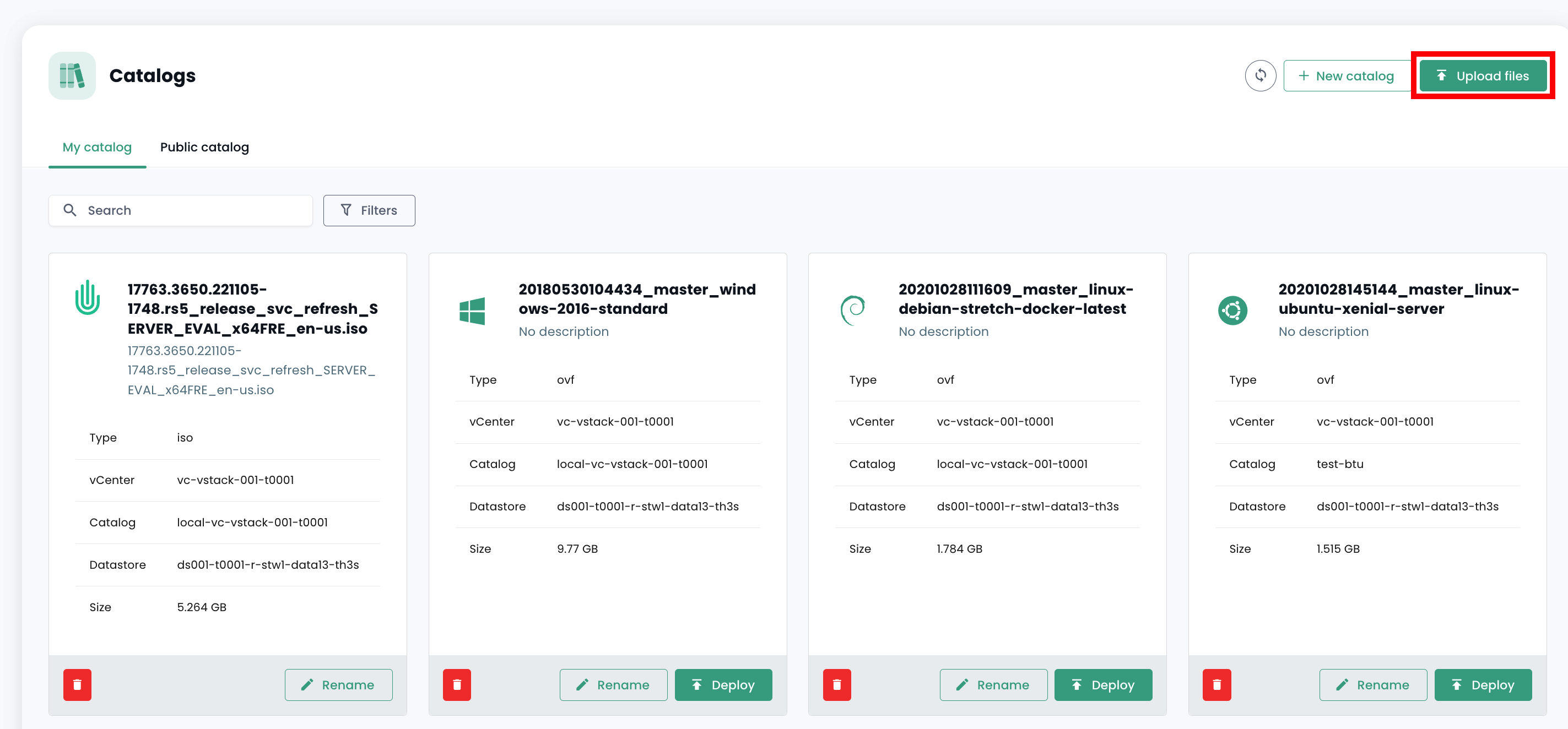
Führen Sie anschließend die Schritte zur Veröffentlichung des Templates durch, geben Sie seinen Namen und eine Beschreibung ein und wählen Sie den Speicherort in einer Bibliothek.
Das Template sollte anschließend in Ihrem privaten Katalog angezeigt werden.
Template aus dem öffentlichen Katalog importieren
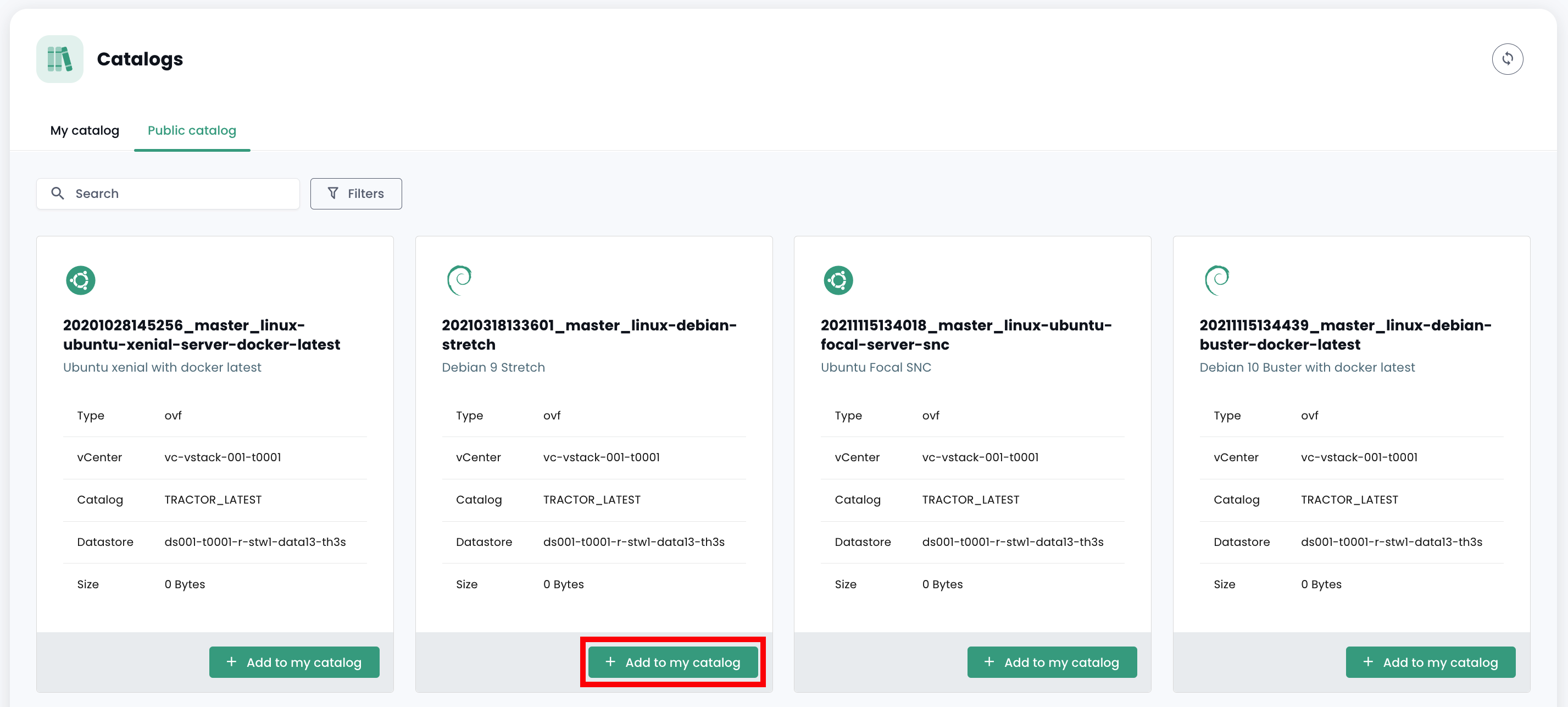
Im Reiter "Öffentlicher Katalog" klicken Sie auf die Schaltfläche "Zu meinem Katalog hinzufügen" des gewünschten Templates, um es in Ihren privaten Katalog zu importieren. Anschließend sollte es in Ihrem privaten Katalog erscheinen.
Template bereitstellen
Nachdem das Template in Ihrem privaten Katalog importiert wurde, können Sie es durch Klicken auf "Bereitstellen" bereitstellen.
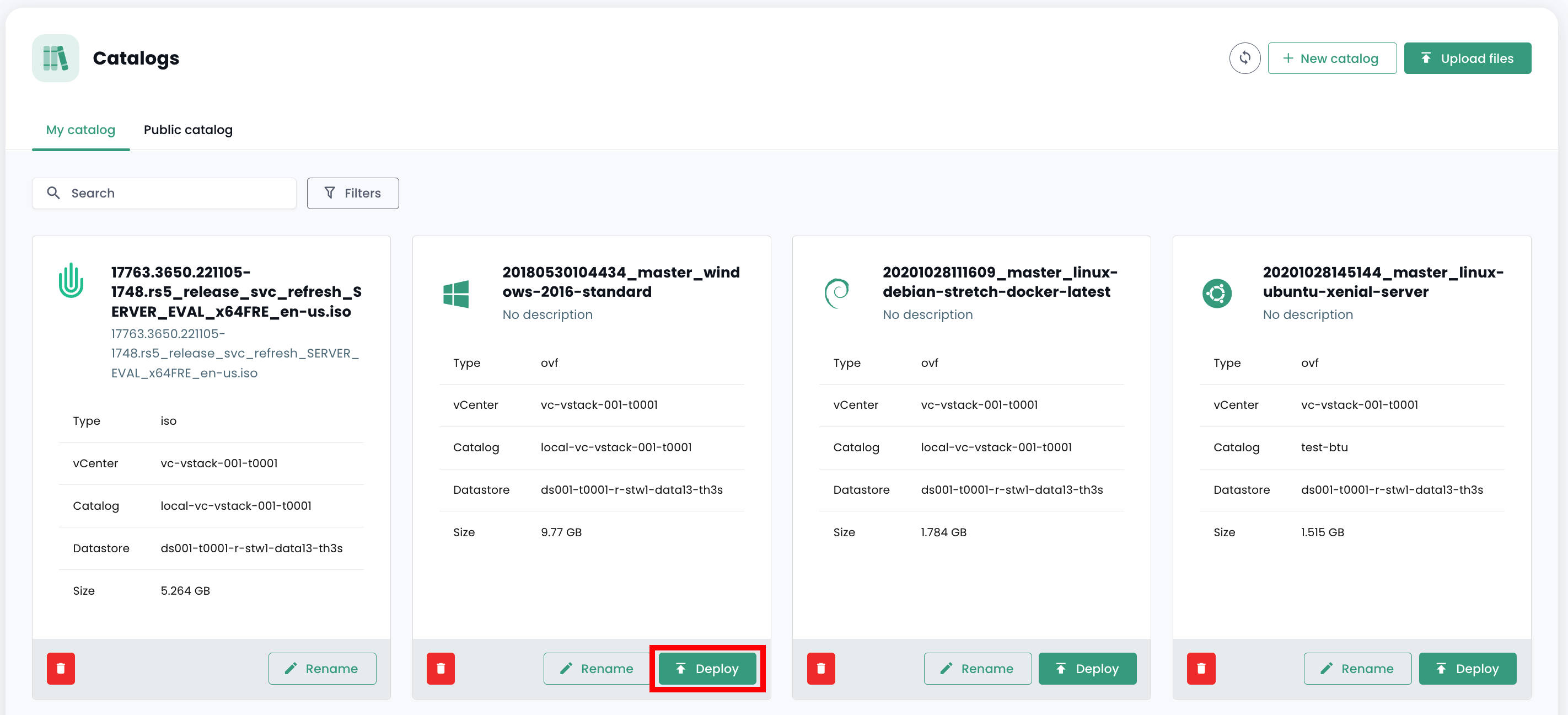
Folgen Sie anschließend den verschiedenen Schritten der Bereitstellung der Ressource, indem Sie den physischen Standort (Datacenter, Rechencluster, Datastore) und weitere optionale Konfigurationsparameter auswählen.