Schnellstartanleitung
Diese Schnellstartanleitung zeigt Ihnen, wie Sie die Erstellung einer Appliance anfordern und wie Sie eine neue Sitzung erstellen und sich damit verbinden.
Voraussetzungen
- Das Cloud Temple-Produkt (Appliance Bastion-Abonnement) muss abonniert sein.
- Die zu verwaltenden Geräte müssen aus dem Netzwerk erreichbar sein, in dem die Appliance Bastion bereitgestellt ist.
- Es müssen Berechtigungen für das Bastion-Modul vorliegen.
- Bei einer On-Premise-Bereitstellung der Appliance müssen die entsprechenden Netzwerkflüsse freigeschaltet sein.
Erforderliche Datenflüsse für den Betrieb des Bastion-Produkts
Mehrere Datenflüsse sind für den ordnungsgemäßen Betrieb der Bastion-Appliance erforderlich.
Das Bastion-Gateway
| Quelle | Ziel | Protokoll |
|---|---|---|
| Client-Bastion-Appliance | 91.223.207.71 (botg.shiva.cloud-temple.com) | UDP/4242 |
RDP-Verwaltungsfluss
| Quelle | Ziel | Protokoll |
|---|---|---|
| Client-Bastion-Appliance | Die zu verwaltenden Instanzen | TCP/3389 |
SSH-Verwaltungsfluss
| Quelle | Ziel | Protokoll |
|---|---|---|
| Client-Bastion-Appliance | Die zu verwaltenden Instanzen | TCP/22 |
Appliance-Erstellung anfordern
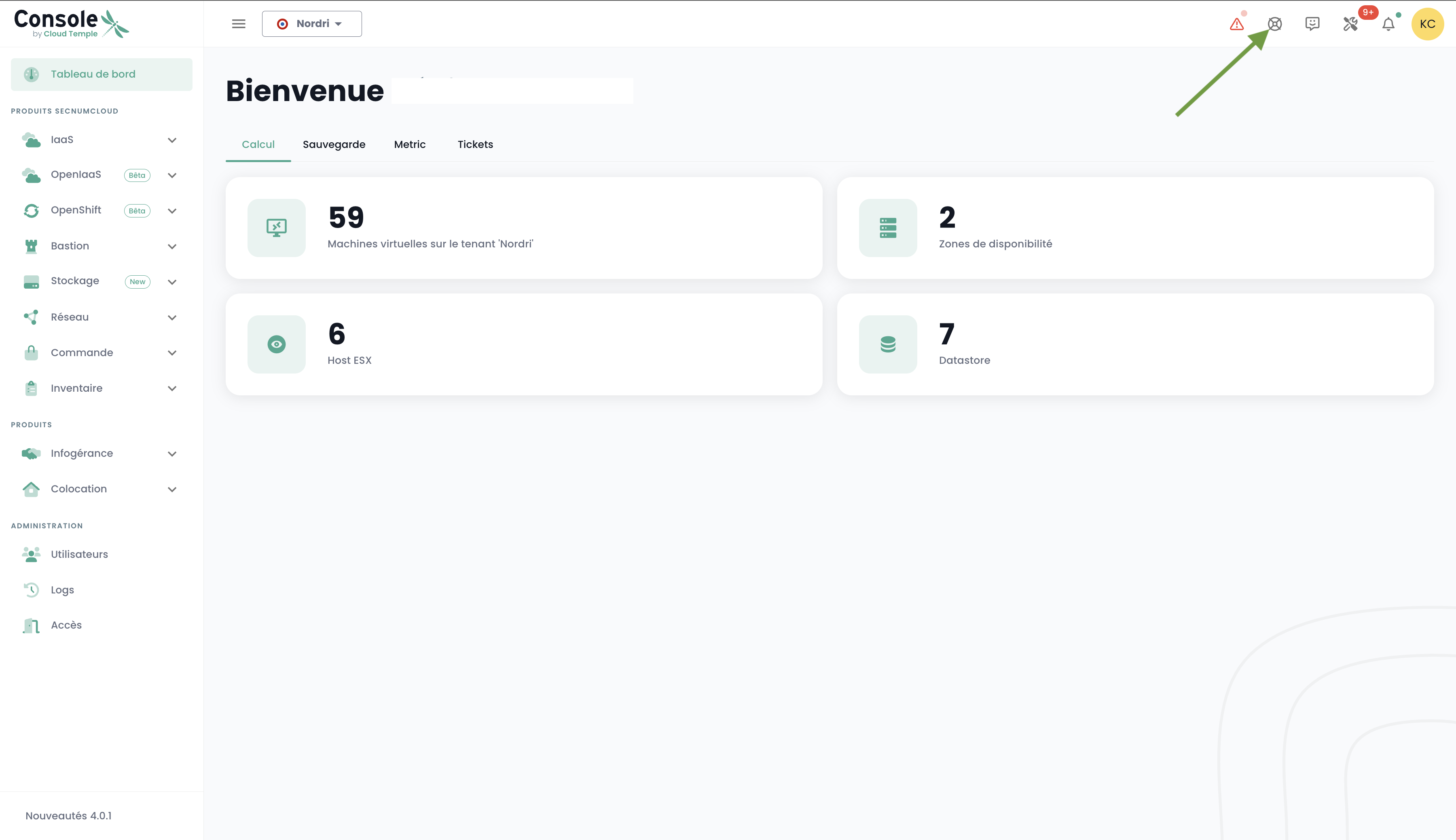
Bevor eine Appliance bereitgestellt werden kann, muss ein Abonnement für eine Appliance über eine Anfrage an den Support beantragt werden. Der Support ist in der Konsole über das Rettungsring-Symbol in der oberen rechten Leiste des Fensters erreichbar.
Gerät registrieren
Um regelmäßig auf ein zu verwaltendes Gerät zugreifen zu können, empfiehlt es sich, eine Sitzung zu erstellen, bei der bei jeder Anmeldung nur Benutzername und Passwort abgefragt werden.
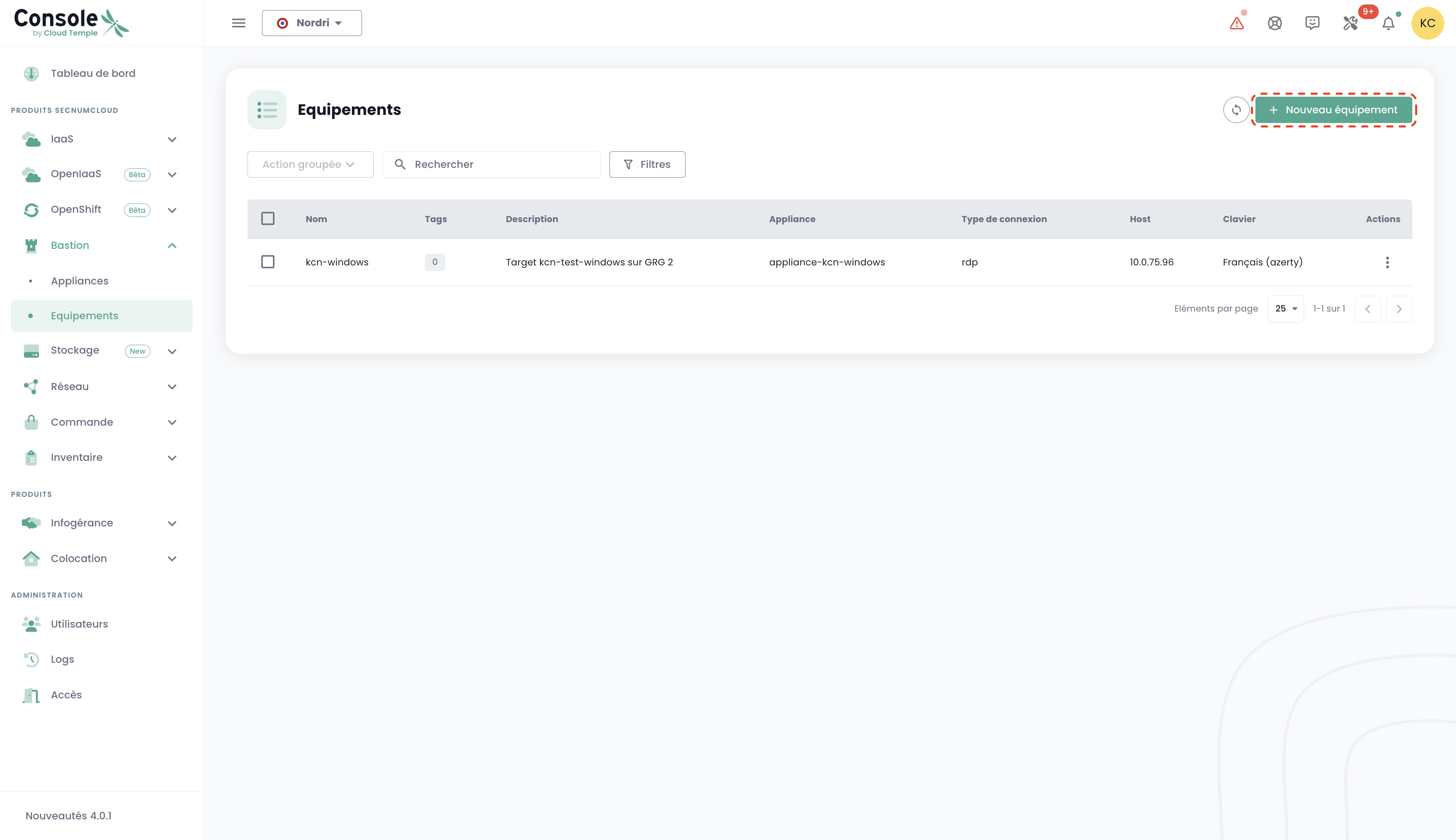
Navigieren Sie dazu zum Reiter « Geräte » im Menü « Bastion » und klicken Sie auf die Schaltfläche « Neues Gerät ».
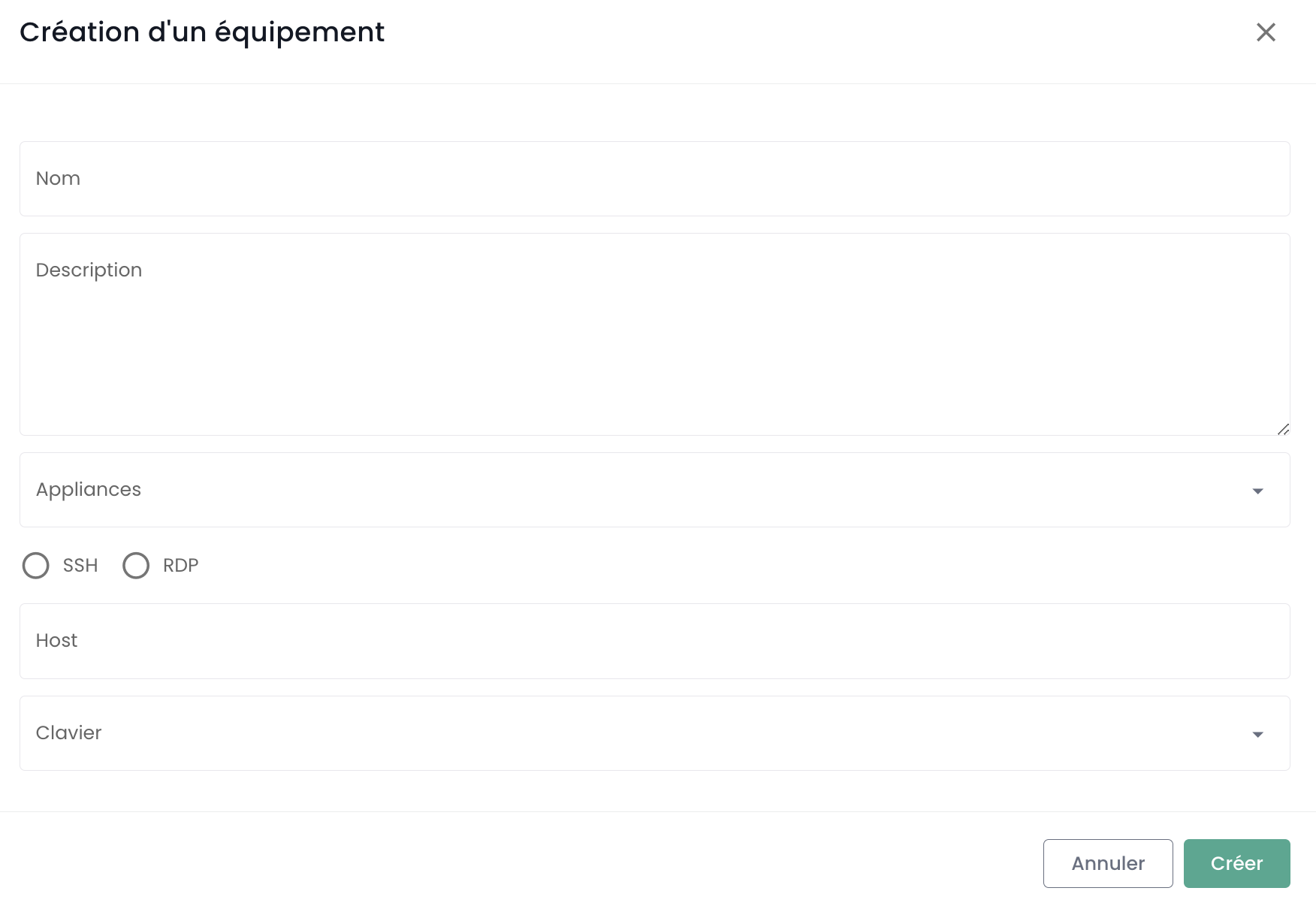
Geben Sie anschließend die für die Erstellung Ihres Geräts erforderlichen Informationen ein:
- Gerätename ;
- Beschreibung ;
- Zugehörige Appliance ;
- Protokolltyp (SSH oder RDP) ;
- IP-Adresse des Hosts ;
- Tastaturlayout.
Eine Benachrichtigung über die erfolgreiche Geräteerstellung sollte oben rechts auf der Seite erscheinen. Die Sitzung wird anschließend zur Liste Ihrer Geräte hinzugefügt.
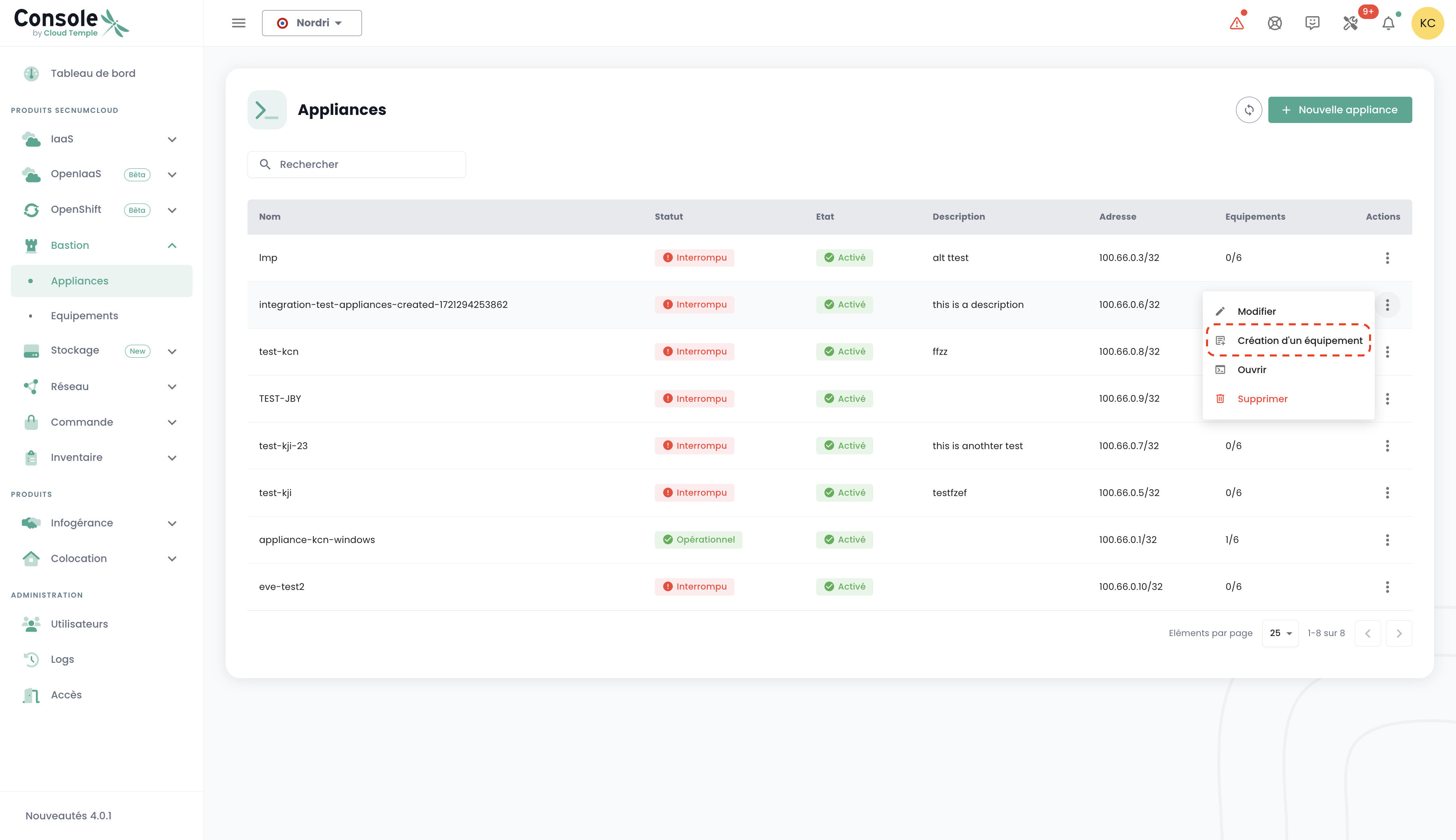
Um ein neues Gerät zu erstellen, können Sie alternativ den Reiter « Appliances » aufrufen und auf die Aktionsleiste der Appliance klicken, der Sie das Gerät zuordnen möchten.
Verbindung zu einem Gerät herstellen
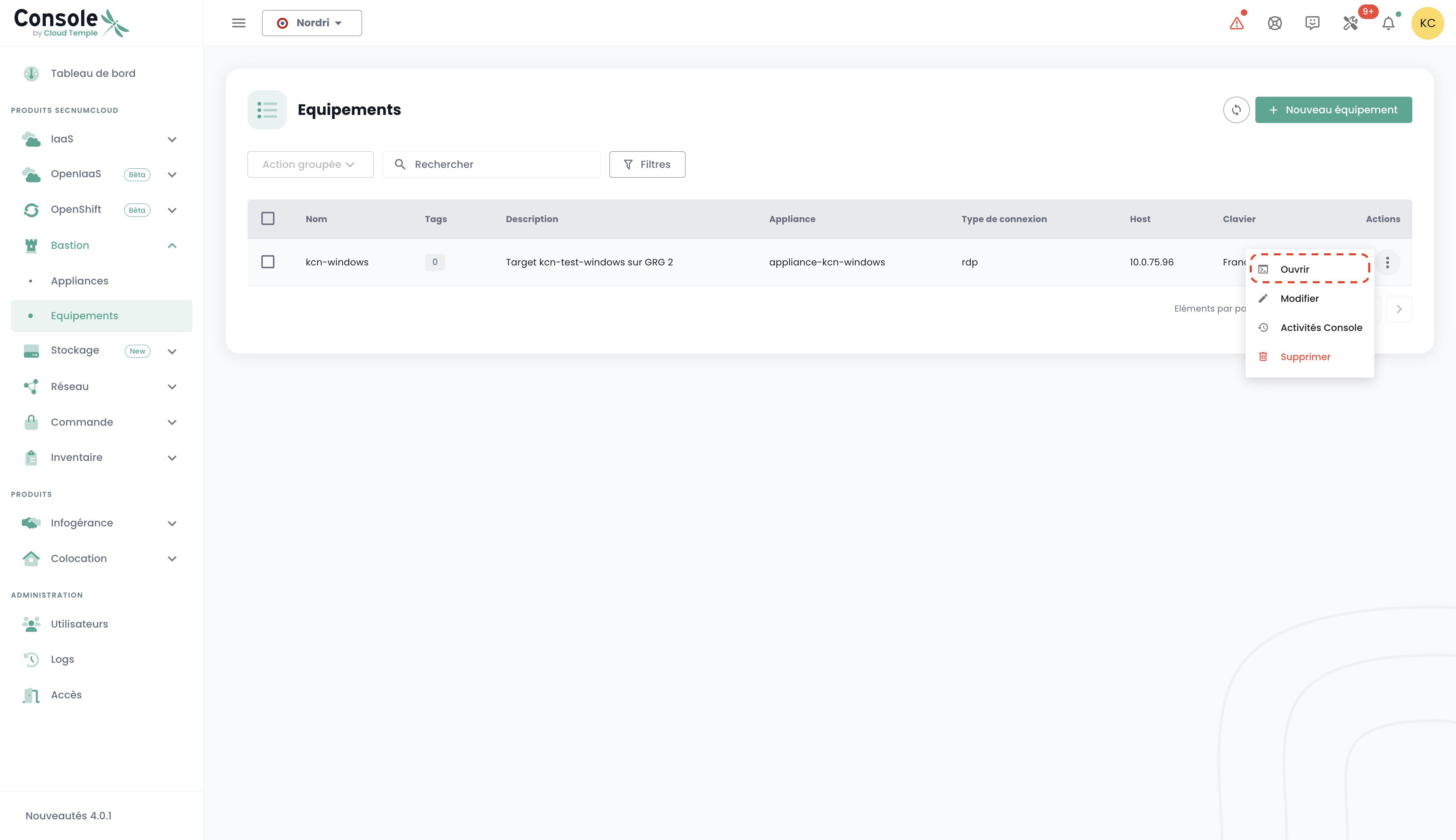
Navigieren Sie zur Registerkarte „Geräte“ in der Registerkarte „Bastion“. Klicken Sie auf die Aktionsleiste des Geräts, das Sie öffnen möchten, und klicken Sie auf die Schaltfläche „Öffnen“.
Bei jeder Verbindung zu einem Gerät müssen Sie lediglich Ihre Anmeldeinformationen eingeben.
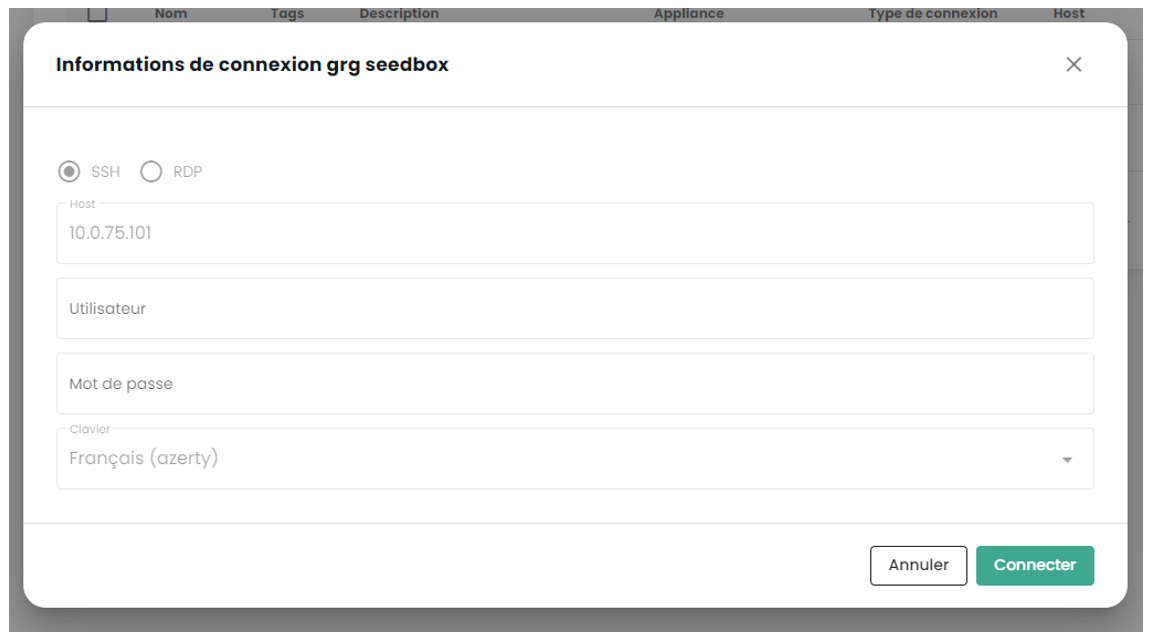
Nachdem Sie Ihre Zugangsdaten eingegeben haben, erscheint eine Benachrichtigung, die den Beginn der Verbindung zu Ihrem Gerät bestätigt, und die Konsole zu Ihrer virtuellen Maschine wird geöffnet.